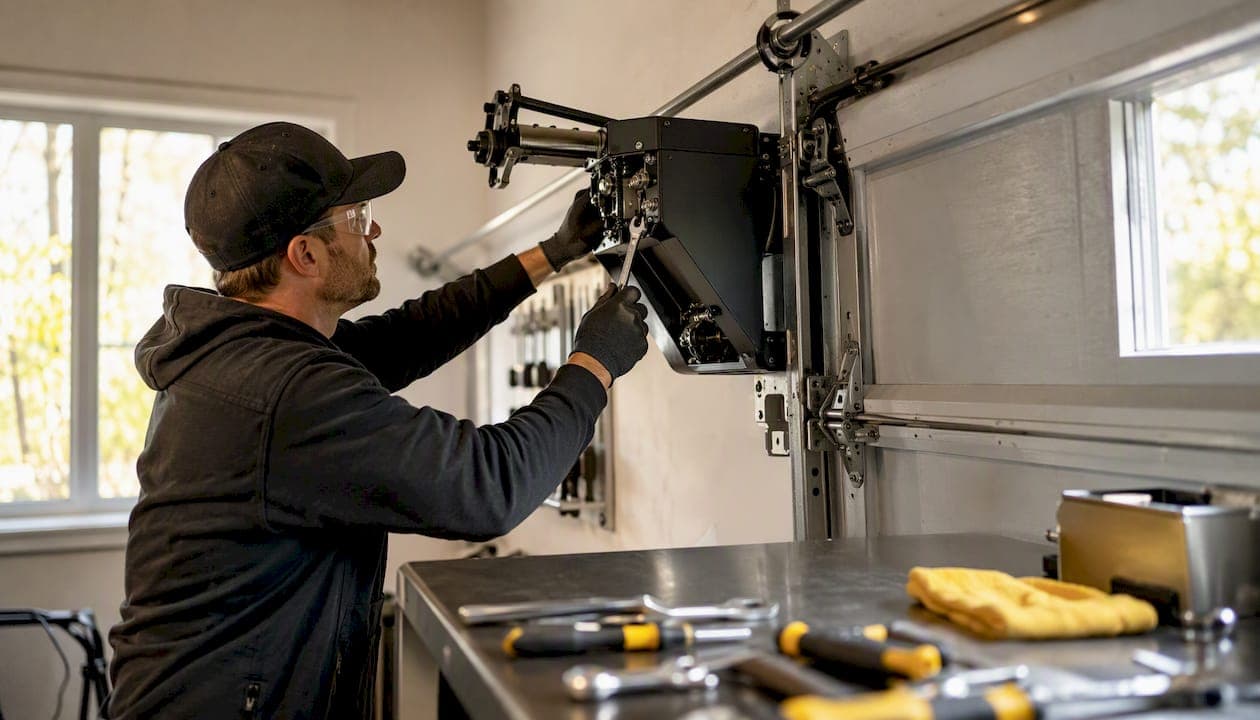
The official LiftMaster 8500 Owner's Manual is available as a free download directly from Chamberlain Group's support site. If your unit was manufactured after 2022, use the post-2022 version of the manual — the learn button location and Step Saver programming guidance differ from earlier builds. The Chamberlain LiftMaster 8500 is still supported for parts and service, though production has shifted toward newer jackshaft variants. Dealer inventory of original 8500 units exists but is limited.
Your two immediate options:
- Download the correct manual now at support.chamberlaingroup.com, matching your unit's manufacture-date sticker to the right file version.
- Call a certified installer if you're dealing with a spring failure, logic board fault, or anything beyond basic programming. Mikes garage doors Loveland colorado handles same-day LiftMaster opener repairs across Northern Colorado.
Key Takeaways
The LiftMaster 8500 is a supported but discontinued jackshaft opener — download the manual that matches your manufacture date, program from the wall control, and call a certified technician for spring or logic board failures.
| Point | Details |
|---|---|
| Download the right manual | Match your unit's manufacture-date sticker to the correct manual version at support.chamberlaingroup.com. |
| Program from the wall control | All remote pairing and accessory setup is done at the 880LM/880LMW door control, not on the motor. |
| myQ path depends on your variant | The 8500W has built-in Wi-Fi; older 8500 units need an 828LM gateway to access myQ. |
| Repair vs. upgrade threshold | Repair isolated parts under warranty; upgrade when the logic board fails or OEM parts are discontinued. |
| Local same-day service | Mikes garage doors Loveland colorado provides upfront estimates and same-day LiftMaster repairs across Northern Colorado. |
Table of Contents
- What are the key differences between the LiftMaster 8500 and 8500W?
- Where do you download the correct LiftMaster 8500 manual?
- What parts does the LiftMaster 8500 commonly need replaced?
- How do you program a LiftMaster 8500 garage door opener?
- How do you troubleshoot a LiftMaster 8500 that won't work?
- Is the LiftMaster 8500 discontinued, and should you repair or upgrade?
- When should you call a pro for your LiftMaster 8500?
- What we see repairing 8500-series openers in the field
- Same-day LiftMaster opener repair in Loveland and Northern Colorado
- Sources
- FAQ
What are the key differences between the LiftMaster 8500 and 8500W?
The LiftMaster 8500 is a wall-mount jackshaft opener — it mounts beside the door on the torsion shaft rather than on the ceiling, which frees up overhead space and runs quieter than most chain-drive units. Both the 8500 and 8500W share that core design, but the differences matter when you're deciding whether to repair or upgrade.
| Feature | LiftMaster 8500 | LiftMaster 8500W |
|---|---|---|
| Wi-Fi connectivity | Requires 828LM gateway | Built-in myQ Wi-Fi |
| Battery backup | Optional add-on | Included in most packages |
| Wall control panel | 880LM | 880LMW (upgraded) |
| Security protocol | Security+ 2.0 | Security+ 2.0 |
| myQ account setup | Via 828LM gateway | Native, no gateway needed |
| Manufacture-date notes | Pre-2022 and post-2022 variants | Post-2022 standard |
| Typical use case | Repair / existing install | Upgrade or new install |
Per LiftMaster's jackshaft model comparison notes, accessory programming on both models is handled at the door control panel, not at the motor. The 8500W's built-in Wi-Fi removes the need for the external 828LM Internet Gateway that older 8500 units require for myQ access.
Both models are UL325 compliant and handle standard residential door weights. If you're repairing an existing 8500, the distinction mostly affects which accessories you need to order. If you're buying new, the 8500W is the cleaner choice.
Where do you download the correct LiftMaster 8500 manual?
Getting the right file matters. LiftMaster updated the 8500-series documentation after 2022, and the learn button location and programming steps changed between versions.
- Pre-2022 units: Use the standard LiftMaster 8500 Owner's Manual from the Chamberlain support site.
- Post-2022 units: Look for the manufacture-date sticker on the back of the motor housing. If it reads 2022 or later, download the updated manual that reflects the revised Step Saver and learn-button placement.
- 8500W owners: Use the 8500W Quick Install Guide alongside the full owner's manual — the quick-start covers Wi-Fi setup and the upgraded 880LMW control panel.
For a broader walkthrough on reading LiftMaster documentation, the LiftMaster instruction manual guide from Mikes garage doors Loveland colorado covers how to navigate the programming and safety sections efficiently.
Pro Tip: Print pages covering remote pairing and the learn button sequence. If the power goes out or you're programming in the garage without a phone, having a paper copy saves real time.
What parts does the LiftMaster 8500 commonly need replaced?
Most 8500-series repairs come down to a short list of components. Here's what fails most often and the OEM SKUs to match:
- Wall control panel: 880LM (standard 8500) or 880LMW (8500W). Confirm against your manufacture date before ordering.
- Remotes: 893MAX (3-button) is the most common pairing remote for this series.
- Battery backup pack: 485LM for most 8500W packages; the older 475LM fits some earlier builds. These are not interchangeable — check your parts diagram.
- Logic board: Replacement boards vary by manufacture date. The 2025 LiftMaster residential comparison chart maps older model numbers to current replacement board SKUs.
- Automatic door lock: 841LM for units with the auto-lock feature.
- Safety sensors: Standard LiftMaster safety sensor pair (confirm wire length for your install).
- Torsion-shaft coupler: A common failure point on high-cycle doors — always use OEM couplers, not generic hardware-store substitutes.
The LiftMaster 8500 parts diagram from a dealer parts resource shows exploded views and SKU references for both the 8500 and 8500-267 variants.
Spotting counterfeit parts: Genuine LiftMaster components carry a part number on the packaging that matches the diagram. If a listing shows no SKU, ships from an unverified third-party seller, or prices a logic board at a fraction of dealer cost, walk away. A bad board can fry your opener and void any remaining warranty.
Pro Tip: Always match the part to your unit's manufacture date, not just the model number. Accessory parts like battery packs and gateway boards have shifted across model years, and ordering by model number alone risks getting an incompatible component.
How do you program a LiftMaster 8500 garage door opener?
Programming on the 8500 series is done at the wall-mounted door control, not on the motor unit itself. For units manufactured after 2022, use the post-2022 manual and follow the revised Step Saver and learn-button guidance. Press the learn button on the wall control, then press the button on your remote within 30 seconds.
The full sequence:
- Locate the learn button on your wall-mounted door control (880LM or 880LMW). On post-2022 units, it may be behind the light lens cover — check the post-2022 manual for the exact position.
- Press and release the learn button once. The LED indicator will light up, giving you a 30-second pairing window.
- Press and hold the button on your remote until the opener's lights flash or you hear two clicks, confirming the pairing.
- Test the remote from outside the garage to confirm range and response.
- To erase all remotes, press and hold the learn button for about six seconds until the LED goes out.
For myQ connectivity, the path depends on your variant. The 8500W's built-in Wi-Fi connects directly through the myQ app — download it, create an account at Myq, and follow the in-app pairing steps. If you have an older 8500 without built-in Wi-Fi, you'll need to add an 828LM Internet Gateway, which connects to your home network and bridges the opener to the myQ platform.
Pro Tip: If pairing fails repeatedly, check that your safety sensors are aligned first. A misaligned sensor can prevent the opener from accepting new remotes — the LED on the sensor should be solid, not blinking.
How do you troubleshoot a LiftMaster 8500 that won't work?
Run through this checklist before calling anyone. Most 8500 faults are faster to fix than they look.
- Won't open at all: Check power at the outlet. Test the wall control first — if it's dead, the issue is upstream of the opener. Check the circuit breaker.
- Opens partially then reverses: Safety sensors are likely misaligned or obstructed. Wipe the lenses and confirm both LEDs are solid.
- Remote won't pair: Erase and re-pair using the learn button sequence above. Confirm the remote uses Security+ 2.0 protocol — older 315 MHz remotes won't pair.
- Opener runs but door doesn't move: The torsion-shaft coupler may have failed. This is a common mechanical fault on high-cycle doors and requires hands-on inspection.
- Auto-lock engaged: If the door won't release, check whether the 841LM auto-lock is engaged. Disengage it manually before running the opener.
- Error codes on the wall control: The 880LM displays blink codes. Count the flashes and cross-reference with the diagnostic table in your owner's manual.
Stop and call a pro if: the torsion spring is broken (it sounds like a gunshot and leaves the door dead-heavy), the shaft coupler is visibly damaged, or the logic board shows burn marks. Spring work and shaft repairs carry real injury risk. A 4-minute opener diagnostic from Mikes garage doors Loveland colorado walks through the safe checks you can run yourself before booking a service call.
Is the LiftMaster 8500 discontinued, and should you repair or upgrade?
The original 8500 is no longer in active production. LiftMaster has shifted its jackshaft lineup toward models with integrated Wi-Fi and battery backup as standard features. Dealer inventory of new 8500 units still exists but is shrinking. Parts support continues, though some accessories are harder to source than they were a few years ago.
Retail listings for the LiftMaster 8500 package show historical pricing context, but current dealer and installer pricing will differ. For a new jackshaft opener, expect to pay more than the older retail baseline once installation labor is included.
Repair vs. upgrade decision:
- Repair makes sense when the unit is under warranty, the failure is an isolated part (remote, control panel, sensor), and OEM parts are readily available for your manufacture date.
- Upgrade makes sense when the logic board has failed, the unit is pre-2020, parts are discontinued, or you want integrated Wi-Fi and battery backup without bolting on external accessories.
Independent technician reviews note that retrofitting an older 8500 with a gateway and external battery adds clutter and can be less reliable long-term than a modern integrated unit. Factor that maintenance overhead into your cost estimate. For a broader look at current jackshaft options, the homeowner's guide to garage door opener types covers how wall-mount models compare to ceiling-mount alternatives.
Pro Tip: Before committing to a logic board replacement, check the 2025 LiftMaster residential comparison chart to confirm a replacement board is still available for your manufacture date. If it's not listed, the upgrade math changes fast.
When should you call a pro for your LiftMaster 8500?
Some faults are genuinely safe to handle yourself. Others are not. Here's where the line sits.
Call a technician now if you have:
- A broken torsion spring (the door will feel like it weighs 200 pounds and won't budge safely)
- A failed or visibly damaged torsion-shaft coupler
- A burned or water-damaged logic board
- Safety sensor faults that persist after cleaning and realignment
- Any situation where the door is stuck open overnight or in a security-critical position
What a technician will check on an 8500-series job:
- Confirm power and control panel function
- Inspect torsion spring tension and shaft coupler condition
- Test sensor alignment and wiring
- Pull error codes from the wall control
- Check logic board for burn marks or failed capacitors
- Verify remote and myQ pairing after repair
- Test door balance and travel limits
Questions to ask before you book:
- Are you certified to work on LiftMaster openers?
- What OEM part SKUs will you use for replacements?
- Does the repair carry a labor warranty, and for how long?
- Can you give me an upfront estimate before starting work?
Mikes garage doors Loveland colorado provides upfront phone estimates before any technician rolls out, so you know the cost before work begins.
What we see repairing 8500-series openers in the field
The 8500 is a well-built opener, but age catches up with specific components in predictable ways. The most common call we get on these units involves logic board failures on pre-2020 builds — often triggered by power surges the older boards weren't designed to absorb. The second most frequent issue is a missing or wrong-spec battery pack: a homeowner ordered a replacement online, got an incompatible SKU, and now the backup function doesn't work at all.
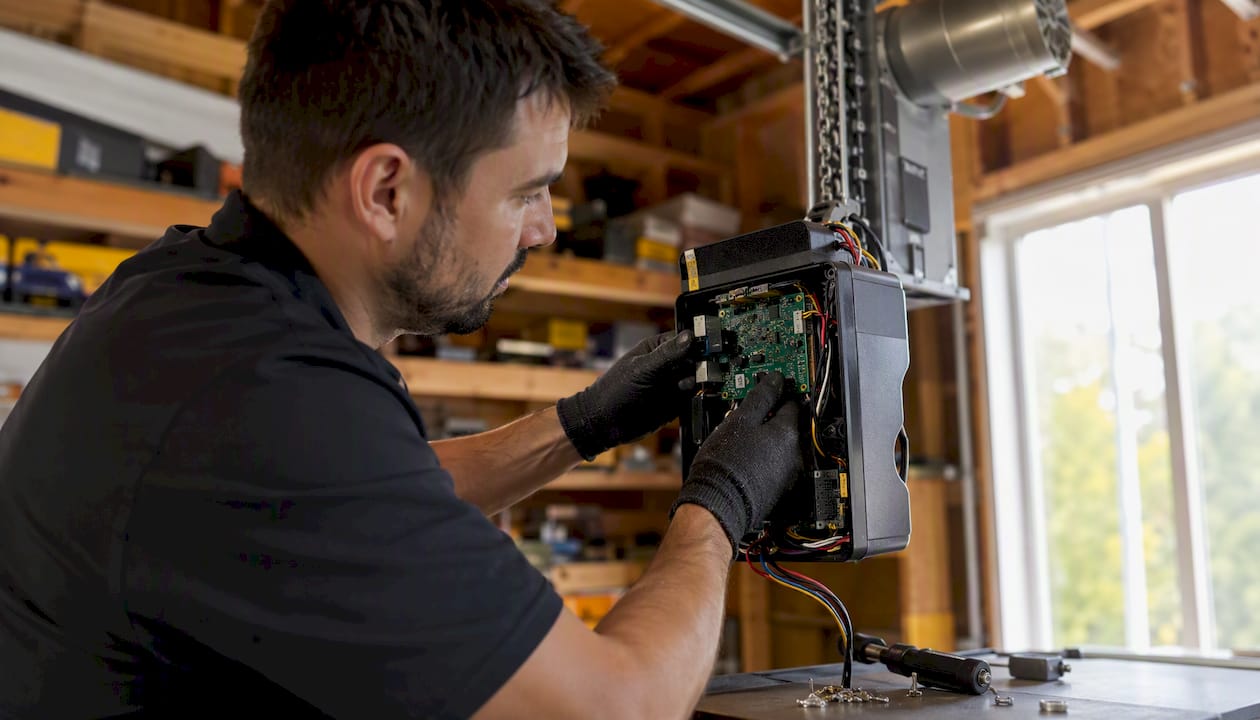
Aftermarket torsion-shaft couplers are another recurring problem. They look identical to OEM parts in photos, but they wear faster and can slip under load — which means the motor runs while the door sits still. By the time a homeowner calls us, the coupler has sometimes damaged the shaft itself, turning a $40 part swap into a more involved repair.
The good news: when the issue is isolated to a control panel, a remote, or a sensor, these are fast fixes. Most of the 8500-series calls we handle in Loveland wrap up same-day, and the opener runs another several years without trouble.
Same-day LiftMaster opener repair in Loveland and Northern Colorado
When the troubleshooting checklist runs out and the door still won't move, Mikes garage doors Loveland colorado is the call that gets it fixed today. We handle LiftMaster 8500 and 8500W opener repairs, full replacements, and new jackshaft installations across Loveland and Northern Colorado — with upfront pricing given over the phone before we arrive, so there are no surprises on the invoice.
Our technicians carry OEM LiftMaster parts on the truck, including control panels, remotes, logic boards, and safety sensors for the 8500 series. Veterans receive a 10% discount on all services. To schedule a same-day repair or get a free phone estimate, visit our garage door services page or call us directly.
Sources
- LiftMaster® Garage Door Opener Model 8500 Owner's ...
- LiftMaster® Elite Series® Wall Mount Wi-Fi® Garage Door Opener Model 8500W Quick Install Guide
- Comparison Chart LiftMaster Residential 2025
- LiftMaster 8500W Wall Mount Garage Door Opener Review
- LiftMaster 8500 and 8500-267 Garage Door Opener Parts Diagram and List
- Myq
- LiftMaster 8500 Wall Mount Garage Door Opener Package
FAQ
Is the LiftMaster 8500 discontinued?
Yes. LiftMaster has moved production to newer jackshaft models with integrated Wi-Fi and battery backup. Dealer inventory of new 8500 units still exists but is limited, and some accessories are harder to source than they were a few years ago.
How much does a LiftMaster 8500 cost?
Retail pricing for the original 8500 package varied, and current dealer pricing reflects limited availability. For a new jackshaft opener installation, expect total costs to include both the unit and professional installation labor — contact a certified installer like Mikes garage doors Loveland colorado for an upfront estimate.
How do you program a LiftMaster 8500 garage door opener?
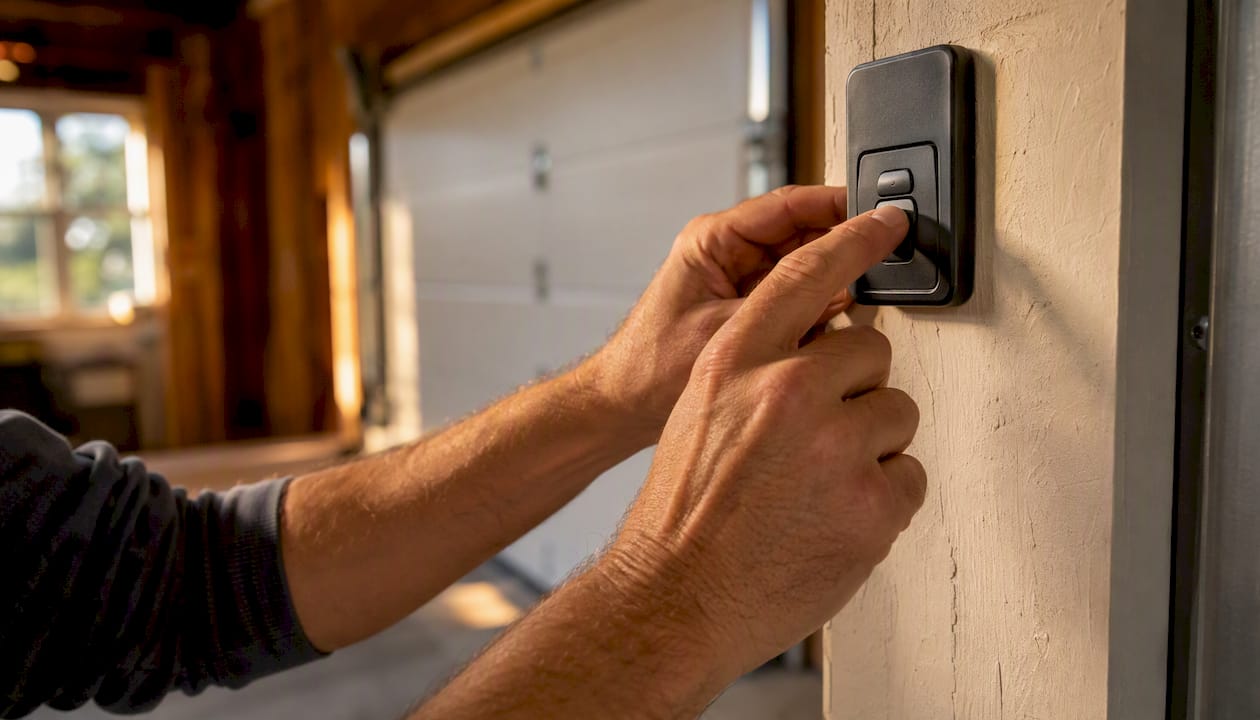
Press and release the learn button on the wall-mounted 880LM door control, then press the button on your remote within 30 seconds until the opener's lights flash. Per official LiftMaster documentation, all programming is done at the wall control, not on the motor unit.
What is the difference between the LiftMaster 8500 and 8500W?
The 8500W adds built-in myQ Wi-Fi and typically includes battery backup, eliminating the need for an external 828LM Internet Gateway. The standard 8500 requires the 828LM to access myQ, and battery backup is an optional add-on rather than a standard inclusion.