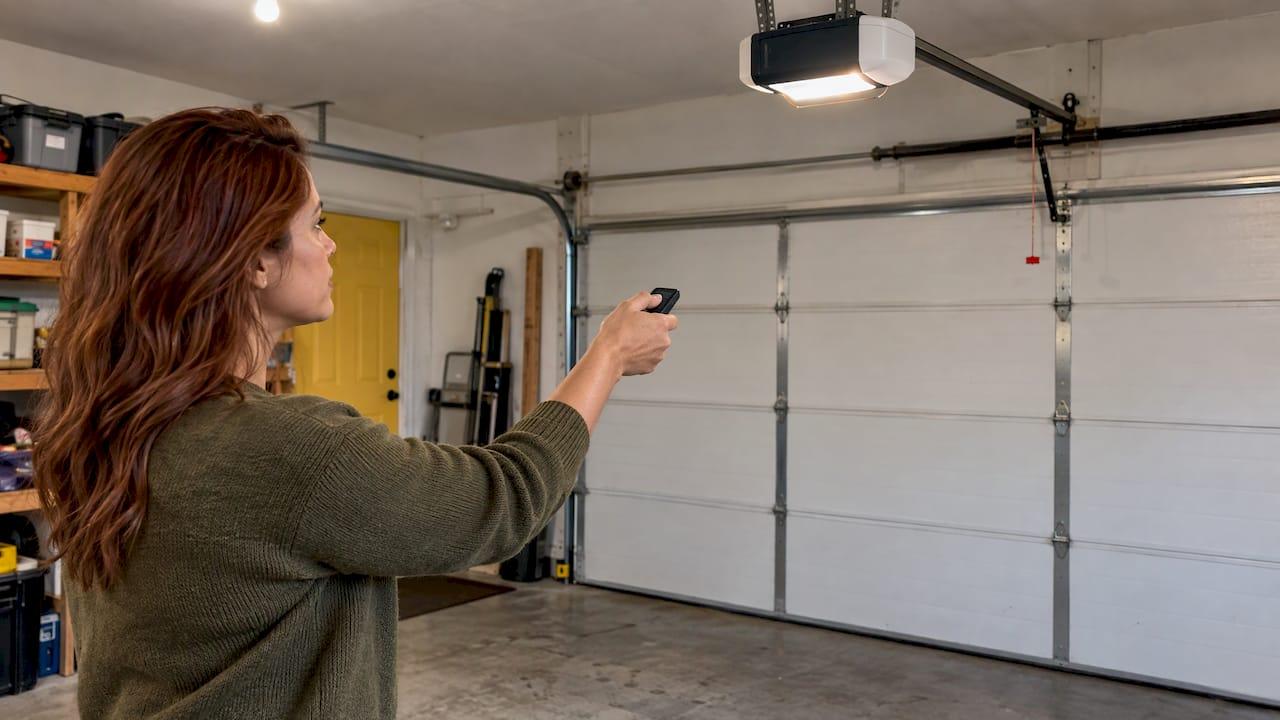
Yes, an LED bulb can interfere with your garage door opener. Some LED bulbs give off radio noise that drowns out the signal from your remote, so the opener barely hears you. The usual signs are a remote that only works from a few feet away, a door that closes but won't open, or a remote that won't program. The fix is usually simple: find the noisy bulb and swap it for one made to live inside an opener.
We repair openers around Loveland every week, and this one surprises people because the door itself is fine. Nothing is broken. A bulb is just getting in the way. Here is how to confirm it, fix it and keep it from coming back.
TL;DR
- Some LED and CFL bulbs create radio frequency interference that can cut your remote's range or make the opener ignore it, according to the industry's own troubleshooting guide.
- The tell: the remote works with the lights off or the bulbs out, and fails or loses range when they are on.
- To confirm it, remove the bulbs one at a time and test the remote from the driveway after each one.
- Replace the culprit with a bulb the opener manufacturer recommends, in the right size and wattage.
- If a new bulb doesn't solve it, something else is going on, and a technician can trace it.
Table of Contents
- What LED interference looks like at your door
- Why an LED bulb can block a remote
- Find the noisy bulb in five steps
- Choosing a bulb that won't cause trouble
- A quick fix while you shop
- When the bulb isn't the problem
- Our perspective: treat the bulb as part of the opener
- Need a hand with a stubborn opener?
- How to keep it from happening again
- FAQ
- Sources
What LED interference looks like at your door
Interference rarely shows up as a dramatic failure. It looks like a remote that has gotten flaky. The symptoms to watch for:
- Short range. The remote used to work from the end of the driveway. Now you have to be nearly under the opener.
- Intermittent response. You press the button two or three times before the door moves.
- Close works, open doesn't. One opener manufacturer's support page lists a remote that will close the door but not open it as a sign the bulb may be incompatible.
- Won't program. You can't pair a new remote or keypad with the opener.
The industry's troubleshooting guide describes the same pattern: reduced range, intermittent operation or no response to the transmitter. Another manufacturer's manual gives a rough benchmark. If your remote works from less than 25 feet or not at all, an LED bulb is one possible cause, and the listed fix is to check and replace the bulb.
The clue that points to a bulb is timing. Did the trouble start right after you changed the light bulbs, or after the opener lights started staying on longer? Does it go away when the bulbs are off? Then you are probably looking at interference rather than a dead remote battery or a failing opener.
Why an LED bulb can block a remote
Your remote talks to the opener by radio. Garage door openers work on radio frequencies typically between 300 and 390 MHz. The receiver is a small antenna and circuit board in the opener's head unit. It listens for a very faint signal.
An LED bulb isn't just an LED. Inside the base is a small electronic driver that converts household power into what the LEDs need. A well-built driver is filtered so it stays quiet. A poorly filtered one can throw off radio noise. If that noise lands near the frequency your opener listens on, the faint signal from your remote gets lost in it.
Location makes it worse. The industry guide points out that the bulbs sit very close to the opener's radio receiver. So even though the FCC regulates how much interference light bulbs can produce, a bulb that meets the rules can still be a problem a few inches from a sensitive receiver.
Two more points worth knowing:
- The same guide says it has not been shown that any one brand or type of bulb is always the troublemaker. Some bulbs simply generate more interference than others, and you can't tell by looking at the package.
- Many opener makers now publish a list of bulbs they have tested and found not to cause significant interference with their own transmitters.
That second point is your shortcut. You don't have to guess. You can start from the bulbs the opener's maker has already vetted.
Find the noisy bulb in five steps
This takes about ten minutes, a stepladder and a helper if you have one. The approach follows the method a major opener maker recommends: remove the bulbs one at a time and see whether range improves.
- Start with the basics. Put a fresh battery in the remote. A weak battery causes the same short-range symptom, and you want to rule it out first. Our remote checklist walks through the other quick checks.
- Reproduce the problem. With the opener lights on, stand where the remote used to work, such as the end of your driveway, and press the button. Note how far you can get before it stops responding.
- Unplug the opener, then remove one bulb. Unplug the opener first and let the bulb cool if it has been on. Take out one bulb. Leave any others in place.
- Plug back in and test. Wait for the lights to settle, then try the remote from the same spot. If range returns, you've found the culprit. If not, put the bulb back and move to the next one.
- Test with all bulbs out. If the remote works with every bulb removed, the bulbs are the cause, even if no single one stands out. Replace them all with a recommended type.
A note on the opener's light timing: the lights turn on when the door moves and stay lit for a few minutes. That means the interference can be there right after you press the button and then clear up when the lights time out. If your remote seems to work fine at night until the light comes on, that's the same pattern.
If the lights are off and the remote is still unreliable, the bulb isn't your problem. Skip ahead to the other causes below.
Choosing a bulb that won't cause trouble
The goal isn't to avoid LEDs altogether. It's to use a bulb that is built for the job. Here is what to check before you buy.
Size, shape and wattage
Opener manufacturers are specific about this, and for good reason. One maker says its openers are designed and tested with A19-size bulbs, with a diameter no more than 2.375 inches and a length no more than 4.43 inches. The same page says not to use halogen bulbs, bulbs over the recommended wattage, or short-neck and specialty bulbs, and that using the wrong bulb may damage the opener.

Another maker's manual calls for a 60 watt maximum, A19 size in incandescent, CFL or LED-equivalent form, and cautions against short-neck bulbs. Check your own manual for the number that applies to your opener. It is usually printed on the head unit near the socket as well.
Bulbs made for openers
Several opener makers sell their own LED bulbs because standard ones can cut range. One manual says its standard-LED warning plainly: ordinary LED bulbs may reduce the range of your remotes, and the company's own LED bulbs are designed to avoid that. Another company's documentation says its garage door opener LED creates little or no radio frequency interference with most remotes on 315 or 390 MHz, and is built to handle the shaking an opener produces.
That vibration point matters. A bulb that hangs under a motor that jolts every time the door moves has a harder life than one in a ceiling fixture. Bulbs rated for it last longer.
What the manufacturer will accept
One manufacturer's guidance, if you see interference after installing an LED from another brand, is to switch to a CFL bulb or its tested LED. Its warning is to avoid low-quality LED bulbs. Some manuals simply specify incandescent bulbs only. Read yours before choosing.
| Check | What to look for |
|---|---|
| Bulb shape | A19 with a standard neck |
| Wattage | At or under the limit in your opener's manual |
| Type | A bulb the opener's maker recommends or sells for openers |
| Avoid | Halogen, short-neck, specialty and unbranded budget LEDs |
| After installing | Test the remote at full range with the lights on |
If you have a different opener than the ones above, or don't know the model, our guide to opener compatibility explains how to match parts to your system.
A quick fix while you shop
If you can't get the right bulb today, there are short-term workarounds.
- Remove the suspect bulb. The industry guide's own advice is to remove or turn off bulbs suspected of causing interference and see whether the transmitter works better. A garage with no opener light is dim, so use a work light or the overhead fixture until the proper bulb arrives.
- Use the wall control. The wired button inside the garage isn't affected by radio noise. It gets you in and out safely in the meantime.
- Keep the old bulb. Don't toss a working incandescent or CFL that the opener's maker accepts. It is your known-good fallback.
What we'd skip: wrapping the bulb in foil, taping over the receiver or moving the antenna wire without guidance. That can make things worse or damage the unit.
When the bulb isn't the problem
If you replaced the bulbs and range is still poor, LED noise was either not the cause or not the only one. The same industry guide lists other sources of interference: local wireless security and communication systems on similar frequencies, and powerful commercial transmitters such as radio or TV stations. High-power broadcasts can interfere even on a different frequency, because their power dwarfs the small signal from a remote.
In a house, that can mean a neighbor's new device, a new security system or something you plugged in near the garage. The opener maker's own notes add home appliances, electrical transformers and other sources to the list.
Other things that mimic interference:
- Weak or wrong remote battery. Easy to check, easy to miss.
- A remote that has lost its pairing. It needs to be reprogrammed. Our keypad troubleshooting steps cover that on the keypad side.
- A damaged antenna wire on the opener. It hangs from the head unit and can get bent or cut during other work in the garage.
- An aging receiver or logic board. Older openers lose sensitivity over time.
- A different problem altogether. If the door itself doesn't move even from the wall button, our four-minute opener diagnostic helps you sort out power, sensors and mechanical trouble.
One more thing to rule out: if the opener's light flashes, that's an error code or a sensor message, not interference. We explain why the opener light flashes separately.
Our perspective: treat the bulb as part of the opener
Most people think of a garage door opener light as a bulb in a socket. We think of it as part of the opener's radio environment. The receiver sits right next to that socket, so what you screw in matters.
Here in Loveland we see the same story over and over. Someone swaps in a bargain LED pack, and a week later the remote only works from the garage floor. They figure the opener is dying and start pricing a new one. Often the fix is a different bulb.
That's why we start with the simple things on a service call. We check the bulbs, the remote battery, the antenna and the programming before we recommend anything bigger. You get a straight answer and an upfront estimate on the phone, so you know what to expect before we show up. About 90% of our repairs are done the same day.
If the bulb isn't the issue, our technicians can trace the real cause, whether that's a worn receiver, a programming problem or an opener that has reached the end of its useful life. We handle opener repair and installation for homes and businesses across Northern Colorado, and we stand behind our work with written warranties on parts and labor.
Our advice is simple. Use the bulb your opener's maker recommends, test your range from the street after you change it, and call us if the trouble doesn't go away.
Eddie
Need a hand with a stubborn opener?
If you've swapped the bulbs and your remote is still unreliable, or your opener is old enough that a repair doesn't make sense, we can help. Mike's Garage Door Repair handles opener repair and installation for Loveland homes and commercial properties, along with tune-ups, spring repair and 24-hour emergency service. Call us, describe what's happening and we'll give you an honest estimate over the phone. Veterans get an automatic 10% discount.
If you run a business or manage a property with several doors, tell us that when you call. Intermittent remotes on a commercial door mean delayed deliveries and frustrated staff, and we plan the visit to keep downtime short. You can also see everything we do on our services page.
Not sure whether it's the bulb or something bigger? Our list of nine signs your garage door needs repair can help you decide how urgent it is.
How to keep it from happening again
A few habits keep the problem from returning:
- Write down the bulb you chose. Put the brand and model on a sticker inside the opener's lens or in your phone, so you buy the same one next time.
- Resist the multipack. The cheap bulbs from a discount shelf are the ones that cause trouble most often. Pay a little more for a bulb made for openers.
- Check range after any change. A new bulb, a new security camera, a new smart plug in the garage: test the remote from the street each time.
- Mind the wattage. Going over the maximum can damage the opener, not just cause interference.
- Keep the manual. The bulb specifications are in there, and so are the remote's programming steps.
- Schedule a tune-up. A yearly visit catches a weakening receiver, loose antenna wire and worn parts before they strand you.
FAQ
Can LED bulbs really stop a garage door remote from working?
Yes. The industry's troubleshooting guide says certain LED and CFL bulbs create enough radio interference to affect the opener's receiver. The result is usually shorter range or an opener that sometimes ignores the remote, rather than a total failure. Removing the bulbs is the quickest way to check.
Do all LED bulbs cause interference?
No. The industry guide notes that no specific brand or type has been shown to always cause trouble, but some bulbs generate more interference than others. That's why opener makers publish approved bulb lists and sell bulbs designed for their openers.
Is it safe to leave the opener light socket empty?
Yes, the opener runs fine without a bulb. You lose the light, which makes the garage darker when the door moves, so use another light source. Don't swap in a halogen or oversized bulb as a substitute, since manufacturers warn those can damage the opener.
What if my remote still has poor range after I change the bulbs?
Replace the remote battery, then check for other radio sources nearby and for a damaged antenna wire on the opener. If range is still poor, the receiver or logic board may be wearing out, or the remote may need reprogramming. That's a good time to have a technician take a look.
Should I choose incandescent, CFL or LED?
Follow your opener's manual. Some manuals call for incandescent only, and some makers also accept CFL or their own tested LED. Whichever you choose, match the A19 size and the wattage limit. If your remote range drops after any change, go back to a bulb the manufacturer approves.
Sources
- Door and Gate Operator Remote Control Troubleshooting Guide (DASMA TDS374)
- Light Bulbs That Can Be Used in Garage Door Openers (opener manufacturer support page)
- Belt/chain drive garage door opener manual, troubleshooting section
- Belt/chain drive garage door opener manual, bulb specifications
- Garage Door Opener Remote Reduced Range or Radio Frequency Interference
- Garage door opener LED bulb product documentation