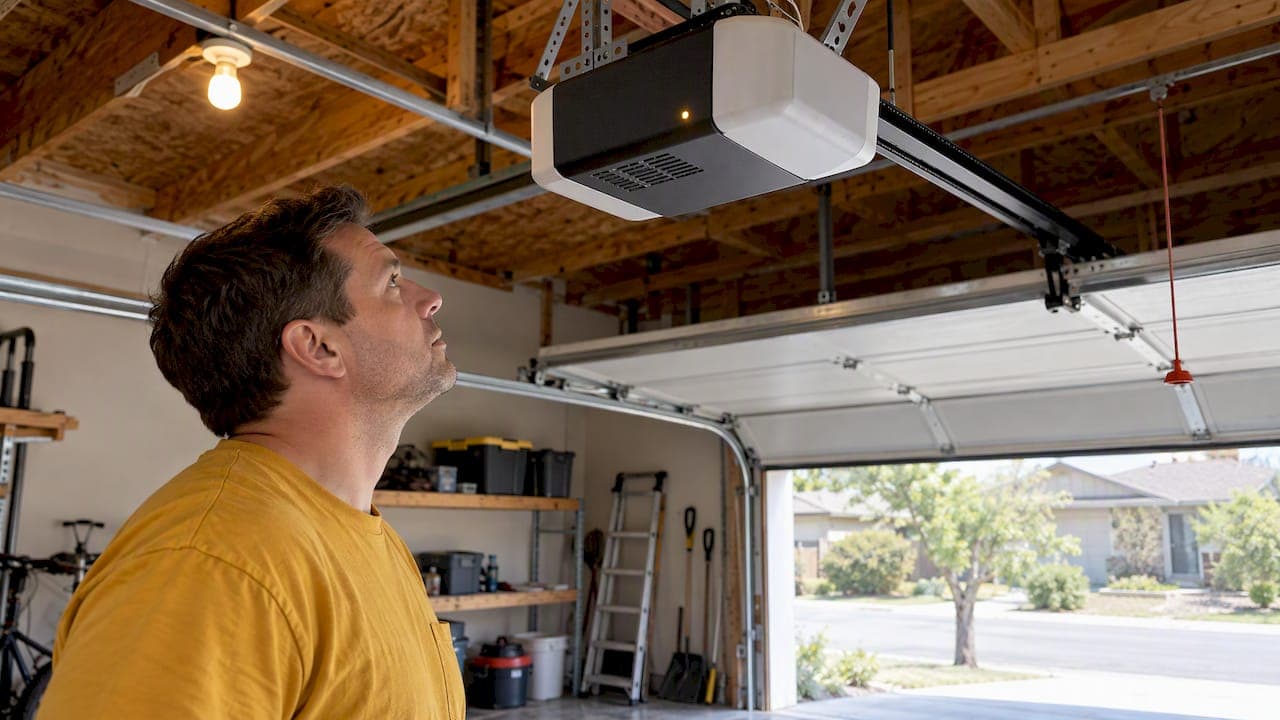
Most garage door openers beep because they've switched to battery backup or because that backup battery is running low. Check the LED on your opener first: a beep every 2 seconds paired with a solid orange light means you're running on battery power, while a beep every 30 seconds usually signals a weak or dead battery. Unplug the opener or pull the battery to silence it temporarily while you sort out the cause.
TL;DR:
- A beep every 2 seconds with solid orange means household power is out; every 30 seconds with flashing orange signals low battery, while solid red means dead.
- If your opener lacks battery backup, check nearby smoke or carbon monoxide alarms; sensor obstructions, closing timers, and lost network links can also cause beeps.
- Disconnect power before replacing the battery, match its polarity, and allow 24 to 48 hours after reconnecting for a full charge.
- Call a technician if a solid red light persists after the outlet works and the battery is replaced, or if beeping returns within days.
- Keep the garage door fully closed before using the emergency release, because a partly open door can drop once disconnected from the opener.
Table of Contents
- What the Beep Pattern and LED Color Are Telling You
- Step-by-Step: Find the Beep and Stop It
- Replacing the Backup Battery: What to Expect
- When the Beeping Means It's Time to Call a Technician
- How Temperature and Humidity Affect Opener Beeping
- Preventive Maintenance to Keep Beeping From Starting
- A Technician's Take on Beeping Garage Doors
- How Our Team Can Help With a Beeping Opener
- FAQ
- Sources
What the Beep Pattern and LED Color Are Telling You
Garage door openers with battery backup use sound and light together, almost like a code. Once you know what to listen and look for, you can usually figure out what's wrong in under a minute.
- Beeping every 2 seconds with a solid orange LED: your opener has lost regular household power and switched to battery backup mode.
- Beeping every 30 seconds with a flashing orange LED: the backup battery is low but still holding some charge.
- Beeping every 30 seconds with a solid red LED: the battery is dead and can't recharge, according to Chamberlain's LED guidance.
- A flashing green LED: good news. Power has been restored and the battery is charging back up.
If your opener doesn't have a battery backup at all, the beeping might not even be coming from the garage. Smoke detectors, carbon monoxide alarms, and even water softeners can produce a similar chirp every 30 seconds or so when their own batteries run low, and sound can carry through walls more than you'd expect.
A few other beep sources are worth ruling out before you assume it's the battery. Some openers chirp as a timer-to-close warning right before the door shuts on its own. Others beep if something is blocking the sensor path, or if a Wi-Fi connected opener loses its network link. None of these involve the backup battery, but they sound similar enough to cause confusion. Working through the LED first narrows things down fast.
Step-by-Step: Find the Beep and Stop It
Run through these steps in order. Most homeowners can identify the cause in a few minutes without any tools.
- Listen and watch. Count the seconds between beeps and note the LED color. This single observation points you toward the cause before you touch anything.
- Write down your opener's model number. It's usually on a sticker on the motor unit. You'll want this if you end up calling for service or ordering a replacement battery.
- Test the outlet. Plug a lamp or phone charger into the same outlet your opener uses, following practical guidance on resetting your HVAC system after an outage to ensure household power problems are properly diagnosed. If it doesn't power on, the problem is your home's power, not the opener itself, per Chamberlain's troubleshooting guidance.
- Silence it temporarily. Unplug the opener or disconnect the battery if you need quiet right away. Before you touch the emergency release cord for any reason, make sure the door is fully closed. A door that's even partly open can drop unexpectedly once it's disconnected from the opener.
- Check the sensors. Look at the two small sensor eyes near the bottom of the door track. Dust, cobwebs, or a stray box in the beam can sometimes trigger warning beeps that have nothing to do with the battery.
- Review timer-to-close settings. If your opener has an automatic closing timer, a beep before closing is expected behavior, not a malfunction.
- Decide your next move. If the LED confirms a low or dead battery, you're ready to replace it. If the beeping continues after a fresh battery and a confirmed working outlet, it's time to gather your notes and call a technician.
Pro Tip: Take a 10-second video of the beep pattern and LED color with your phone. It's the fastest way to describe the problem accurately if you end up calling for help.
If you're also dealing with an outage at home, our guide to garage door safety during a power outage covers what to check before you touch the opener at all.
Replacing the Backup Battery: What to Expect
Backup batteries don't fail without warning. The LED sequence from flashing orange to solid red exists specifically to give you a heads-up before the battery dies completely, and LiftMaster notes that battery backups typically provide somewhere in the range of a day or two of runtime once household power goes out.
Replacing one is straightforward:
- Disconnect the opener from power before opening the battery compartment.
- Remove the old battery and note the polarity markings before inserting the new one.
- Reconnect power and allow 24 to 48 hours for a full charge, a window LiftMaster and Genie both recommend before testing the backup under real conditions.
A fresh backup battery typically lasts 1 to 2 years before it needs replacing again, which is why the LED warnings matter more than most homeowners realize.
While running on battery power, expect the door to move slower than usual and the courtesy light to stay off. That's normal, not a sign of a new problem. Wear eye protection when handling batteries, and dispose of old ones at a battery recycling drop-off rather than the trash.
For a quick seasonal check, our 5-minute battery backup safety checklist walks through what to inspect twice a year.
When the Beeping Means It's Time to Call a Technician
A solid red LED that persists after you've confirmed the outlet works and swapped the battery points to something beyond a simple power issue, often a problem with the power board or wiring. The same goes for beeping that returns within days of a battery replacement.
Stop and call for help immediately if the door reverses unexpectedly, or if the manual emergency release doesn't disconnect the opener the way it should. The CPSC's comments on UL 325 standards stress that manual detach has to remain reliable on every residential opener, backup battery or not.
A technician diagnosing persistent beeping typically checks the battery and its connections, the power board, the photo-eye sensors, the wiring harness, and the door's reversing force settings. Our piece on using the emergency release safely covers what that manual disconnect should feel like when it's working correctly.
How Temperature and Humidity Affect Opener Beeping
Garages aren't climate controlled, and that matters more than most people think. Backup batteries lose capacity faster in extreme cold, which means a battery that seemed fine in September can trigger low-battery beeping during the first hard freeze. Cold slows the chemical reaction inside the battery, so it reports less available charge even if it hasn't actually degraded much.
Heat causes a different kind of trouble. High summer temperatures inside an uninsulated garage can shorten a battery's overall lifespan and sometimes affect the circuit board that reads battery status, occasionally producing beep patterns that don't match the usual codes.
Humidity adds another layer. Moisture can creep into battery terminals or the opener's control board, causing corrosion that interferes with the connection. A beep that shows up only during humid stretches, or right after a heavy rain, is worth checking against corrosion rather than assuming the battery itself has failed.

If your garage runs unusually hot, cold, or damp compared to the rest of your house, keep that in mind when you're troubleshooting. A battery that tests fine on a mild day might still be struggling once the seasons shift. Checking the battery compartment for moisture or corrosion takes a minute and can save you from replacing a battery that wasn't actually the problem.
Preventive Maintenance to Keep Beeping From Starting
A little attention a few times a year keeps most beeping issues from happening in the first place.
- Test the battery backup every six months by unplugging the opener briefly and confirming it still runs the door.
- Clean the sensor eyes with a soft cloth to prevent dust buildup that can trigger false warning beeps.
- Check the outlet and power cord for looseness or wear, especially if your garage sees temperature swings.
- Inspect battery terminals for corrosion, particularly after a humid season or a hard freeze.
- Keep a spare battery on hand once your opener's current one passes the one-year mark, so you're not caught off guard by a sudden red LED.
A quick lift test on the door itself is also worth doing periodically. If the door feels unusually heavy or uneven when lifted by hand, that's a separate mechanical issue that can sometimes produce its own warning beeps. Our guide on the manual lift test explains what a healthy door should feel like.
A Technician's Take on Beeping Garage Doors
Most beeping calls we get turn out to be a simple battery swap, and that's a relief every time, because the alternative, a door that won't open safely, is a much bigger problem. The LED and beep pattern exist to give you a warning before things get worse, so use them. Before you call anyone, note the color and the timing. It tells us almost everything we need to know before we even pick up a wrench.
— Eddie
How Our Team Can Help With a Beeping Opener
We know a beeping opener at 9 PM feels urgent, so we offer emergency repair alongside honest, upfront phone estimates before anyone steps into your garage.

If you've worked through the LED and battery checks above and the beeping hasn't stopped, we handle the rest:
- Opener repair and install for faulty power boards, wiring issues, or units that need full replacement.
- Battery backup diagnosis and swap when a dead battery turns out to be the cause.
- Emergency repair for doors that won't open safely or won't disconnect from the manual release.
Visit our services page or give us a call for a quick, transparent diagnosis before anything gets worse.
FAQ
How do I stop my garage door opener from beeping?
Unplug the opener or disconnect the backup battery to stop the beeping right away. For a lasting fix, confirm whether your outlet has power and replace the battery if the LED shows flashing orange or solid red, as described in Chamberlain's beeping guide.
Why does my garage door opener beep every 30 seconds?
A beep every 30 seconds usually means the backup battery is low or dead. A flashing orange LED points to a low battery still holding some charge, while a solid red LED means the battery needs replacing.
How do I change the battery in my garage door opener?
Disconnect power to the opener, open the battery compartment, and swap in a new battery with the correct polarity. Reconnect power and allow 24 to 48 hours for the new battery to fully charge, per LiftMaster's guidance.
How do I reset my garage door opener to stop it from beeping?
Unplugging the opener for a few seconds and plugging it back in often resets a false alarm, especially if a sensor was briefly blocked. If beeping returns and the LED still shows a battery warning, the reset won't fix it. You'll need to address the battery or power issue directly.
Sources
- Why is the Garage Door Opener Beeping
- What the different color LEDs on a garage door opener mean
- CPSC comment letter on proposed UL 325 changes (Aug 30, 2024)
- Battery Back-Up for Residential Garage Door Openers | LiftMaster