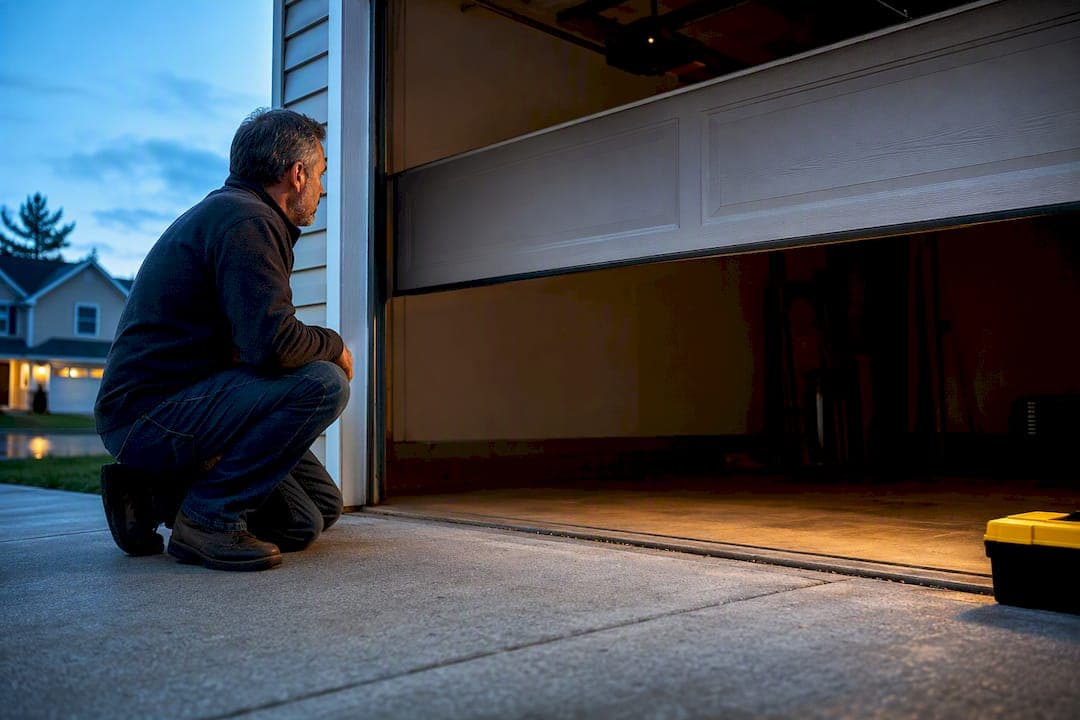
Most cases of a garage door opening by itself trace to one of four culprits: a stuck remote button, a shorted wall-control wire, radio-frequency interference, or a failing logic board. The first move isn't diagnosis, it's security: pull the batteries from every remote, unplug the opener motor, and lock the interior door leading into your house. If the door stays put after that, you've already narrowed down where the problem lives.
TL;DR:
- Most phantom garage door openings are caused by stuck remotes, wiring shorts, RF interference, or failing logic boards, not mechanical faults.
- Removing remote batteries and disconnecting wall wires for 24 hours can often pinpoint the specific cause before replacing expensive parts.
- Older fixed-code openers are more vulnerable to RF interference, so upgrading to a modern rolling-code system reduces risk and improves security.
- Safety sensor issues or mechanical problems usually cause doors to reverse or stop, not to open unexpectedly without input.
- Professional diagnosis should be considered if testing rules out common causes but the door still opens on its own, especially when electrical or wiring damage is suspected.
Table of Contents
- What Causes a Garage Door to Open by Itself?
- The Real Reasons Garage Doors Open Without Warning
- A Step-by-Step Way to Isolate the Cause
- Secure Your Home While You Diagnose the Problem
- When to Call a Garage Door Technician
- Resetting Remotes and Wall Consoles to Stop Phantom Openings
- Could a Dying Remote Battery Be Sending False Signals?
- Is Your Door Really Opening by Itself, or Just Acting Randomly?
- Should You Upgrade Your Opener to Prevent This?
- What a Technician Sees That Homeowners Often Miss
- Get a Same-Day Diagnostic From Mike's Garage Door Repair
- Sources
- FAQ
What Causes a Garage Door to Open by Itself?
Before you touch a single wire, run through a prioritized checklist. This isn't busywork. Each step either rules out a cause or points straight at it, and doing them in order keeps you from replacing a $150 opener board when the real problem was a $3 stuck button.
- Remove the batteries from every remote you own — visor clips, keychain fobs, HomeLink buttons in your car, all of them. A stuck or jammed remote is the single most common cause of phantom operation. Wait 24 to 48 hours and watch for repeat openings.
- Unplug the opener motor unit from the ceiling outlet. If the door never opens while the opener has no power, you've confirmed the cause is electrical or signal-based, not mechanical.
- Disconnect the two low-voltage wires running from your wall control button into the opener terminal. Cap them or tape them apart and observe for a day.
- Open your smart-app and turn off every schedule, geofence, and voice-assistant routine. Automations tied to myQ, Alexa, or IFTTT are an easy thing to set up once and forget entirely, and they're a documented cause of doors activating on their own.
- Remove any LED bulbs installed near or inside the opener housing. Cheap LED drivers can emit RF noise on the same frequency band your opener listens on.
Pro Tip: Write down the exact time of every phantom opening, along with the weather that day. A pattern tied to storms or a specific hour points to very different causes, and that log is gold if you end up calling a technician.
The Real Reasons Garage Doors Open Without Warning
Once you've run the quick checks, understanding what's actually happening behind the wall helps you make sense of what you're seeing.
Stuck remotes and HomeLink issues are the most common single cause, and they behave predictably: openings tend to happen at random intervals, often while the remote sits somewhere warm (like a car dashboard in summer) or gets jostled in a bag. If pulling batteries from every transmitter stops the problem, you've found your answer with zero cost.
Wall-control wiring shorts are sneakier. The two low-voltage wires running from your button to the opener are highly susceptible to shorts from staples, nicks, or moisture, especially where a previous owner or contractor stapled the wire through drywall. These shorts are often intermittent, showing up only when humidity rises or a wire flexes with temperature changes. A full visual inspection of the wire's length is cheap and often finds the culprit before you spend money on parts.
Radio-frequency interference is real and more common than most homeowners assume. Cheaply made LED bulbs near the opener can emit enough RF noise to trigger a receiver tuned to the same band. Older openers running fixed-code technology (common in units made before the mid-2000s) are especially vulnerable, since fixed codes can be captured and replayed by a neighbor's remote or even certain garage door "code grabber" devices. Devices operating in the 315 or 390 MHz range, including some baby monitors and older cordless phones, can also cross paths with your opener's receiver.
A failing logic board shows a different signature entirely. Watch for the door cycling right when power is restored after an outage, or openings that start suddenly after a lightning storm or voltage surge. A board sending false commands to the motor is an electronics failure, not a remote or wiring problem, and it usually means the board or the whole opener needs replacing.
Safety sensors deserve their own category, because they cause a different symptom entirely. If your door reverses and reopens right after you close it, that's not a phantom opening, it's the safety sensors doing exactly what they're built to do: detecting an obstruction (or a dirty lens, or misaligned eyes) and refusing to let the door close. Dirty photo-eye lenses, sensors bumped out of alignment, or an incorrectly set down-limit force are the usual suspects here, and the fix is cleaning and realignment rather than any of the electrical tests above.
Environmental triggers round out the list. A sharp temperature drop can cause metal components to contract just enough to complete a marginal short. Consistent daily timing, say, the door opening at 6:15 AM three days running, almost always points to a schedule or automation rather than any hardware fault. DIY forums are full of homeowners who traced their "haunted" garage door to a forgotten geofence rule that fired every time their phone left the driveway.
A Step-by-Step Way to Isolate the Cause
A reliable diagnostic hierarchy starts wide and narrows down, one variable at a time. Skipping steps is exactly how homeowners end up replacing a logic board when the real issue was a $3 wire nick.
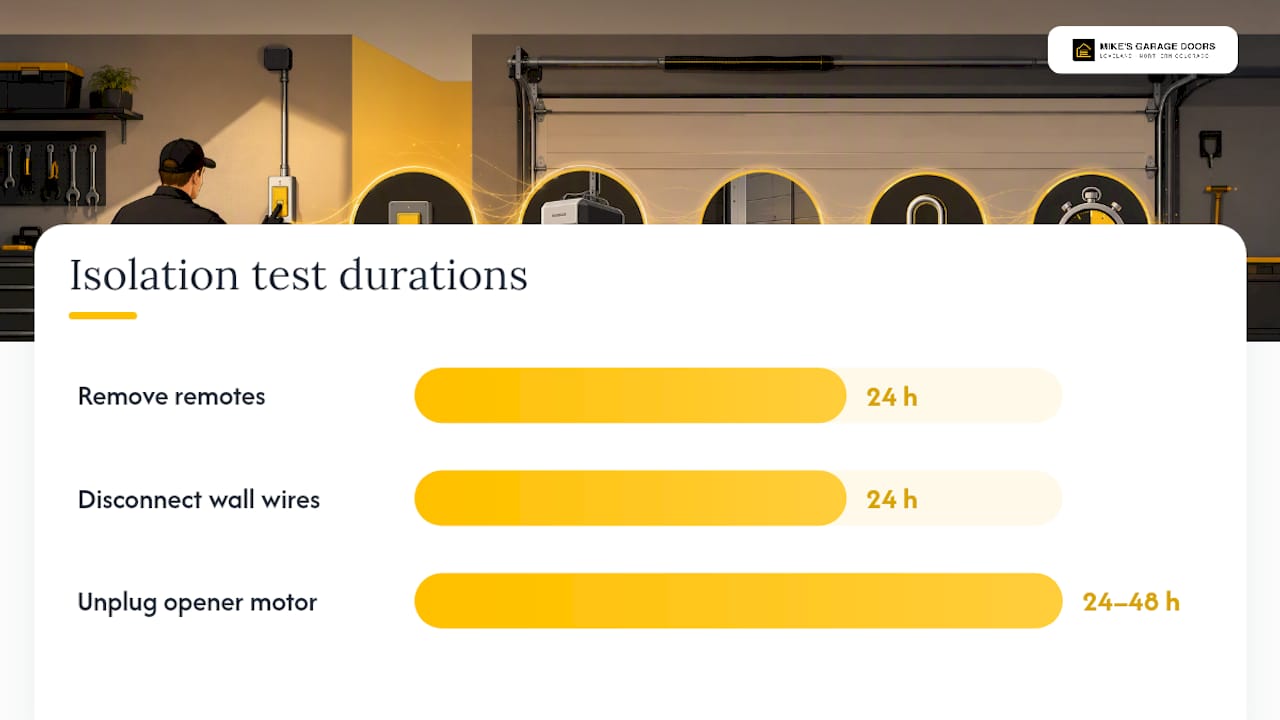
- Remove all remote batteries first. Leave them out for at least 24 hours. If the door stays shut, you're done, and you just saved yourself a service call.
- Reinstall batteries, then disconnect the wall-control wires at the opener terminal. Cap the bare ends with electrical tape so they can't touch each other or the housing. Observe for 24 hours.
- Reconnect the wires, then unplug the opener motor entirely for 24 to 48 hours. This single test is the cleanest way to separate an electrical or signal cause from a mechanical one: if the door never moves with the opener unplugged, the motor and its electronics are the source.
- Clear the remote memory on the opener (most models have a "Learn" button sequence for this) and re-teach only the remotes you actually recognize and own.
- Check the app's activity log if you run a smart opener. The myQ activity log frequently reveals a scheduled or app-triggered open that has nothing to do with hardware at all.
- Test the safety sensors last, wiping both lenses clean and confirming the indicator lights on each sensor glow steady, not blinking.
Keep a simple log at each stage: timestamp, what you disconnected, whether the door moved, and the weather. That record turns a vague "it just opens sometimes" into diagnostic evidence a technician can actually use.
Pro Tip: Never attempt to adjust torsion springs or lift cables yourself while troubleshooting. If unplugging the opener stops the phantom opening but the door still drifts open on its own with zero power to the motor, the springs or cables are carrying the fault, and that's a job for a professional, not a weekend project.
Secure Your Home While You Diagnose the Problem
An unattended garage door is an open invitation, so treat security as step one, not an afterthought.
- Unplug the opener and use the manual release cord if you're home; this physically disconnects the motor from the door.
- Always lock the interior door connecting the garage to your house, even after you've unplugged the opener.
- Remove batteries from remotes and revoke or change passwords on any smart-app account tied to the opener.
- Set up a camera pointed at the garage bay, or ask a neighbor to keep an eye on it, especially if openings have happened while you were away. Reviewing basic home security fundamentals is worth the twenty minutes.
- Move valuables (bikes, tools, packages) out of the garage temporarily if the openings continue unresolved.
- If the door has opened while you were out of the house more than once, leave the opener unplugged entirely and operate the door manually until it's fixed.
When to Call a Garage Door Technician
Some symptoms mean it's time to stop testing and start dialing.
- Every isolation test comes back clean (remotes removed, wires disconnected, opener unplugged) but the door still opens.
- You spot visibly damaged, chewed, or scorched wiring, or you smell anything burnt near the opener housing.
- The door reopens every single time you close it, which usually points to sensor or force-setting problems rather than a phantom open.
- Safety sensor lights won't hold steady even after cleaning and realignment.
A technician typically traces and repairs shorted wiring, replaces a failing logic board or the entire opener unit, reprograms rolling codes, and realigns safety sensors, all in a single visit for most residential jobs. Costs vary widely depending on whether the fix is a wiring repair or a full opener swap, so treat any number you hear online as a rough estimate rather than a quote. Before you call, jot down your opener's model number, a timestamped log of when the openings happened, and anything that changed recently (new LED bulbs, a new remote, a recent storm). That prep alone can cut a service visit from an hour of detective work down to fifteen minutes. If you want a head start, this 4-minute opener diagnostic walks through the same isolation steps a technician runs first.
Resetting Remotes and Wall Consoles to Stop Phantom Openings
Clearing and reprogramming your remotes is one of the most effective preventive moves you can make, and it takes about ten minutes. Most openers have a "Learn" or "Smart" button on the motor housing, usually purple, yellow, or orange depending on the brand. Press and hold it until the indicator light changes, which erases every remote code stored in memory. From there, re-pair only the remotes and keypads you actually recognize and use.
This matters for two reasons. First, it eliminates any rogue or previously programmed transmitter, including one left behind by a former homeowner, that could still be sending signals your opener responds to. Second, it forces your wall console back to a known, clean state, since wall units can sometimes develop their own quirks after years of button presses and power flickers.
While you're in there, check the wall console's wiring terminals for corrosion or a loose screw, since a loose connection can mimic a short intermittently. If your opener supports rolling codes (most models made since the early 2000s do), reprogramming automatically generates a new code sequence each time a remote is used, which closes the door on old fixed-code vulnerabilities that let a nearby remote or code-grabbing device trigger your door. If you're not sure whether your opener uses rolling codes, the owner's manual or a quick model-number search will tell you, and it's worth checking, especially in an older installation you didn't set up yourself.
Could a Dying Remote Battery Be Sending False Signals?
A remote running on a weak battery doesn't just stop working, it can start misbehaving in ways that look exactly like a phantom opening. As voltage drops, the transmitter inside can send incomplete or garbled signals that some receivers interpret as a valid open command, especially on older fixed-code systems that aren't checking for a clean, full transmission.
This is why "remove the batteries" is the very first step in any legitimate troubleshooting sequence, not just a way to rule out a stuck button. A remote left in a hot car for months, or one that's been dropped and has a hairline crack in its board, can develop the same low-power symptoms as a dying battery: intermittent transmissions that fire at random.
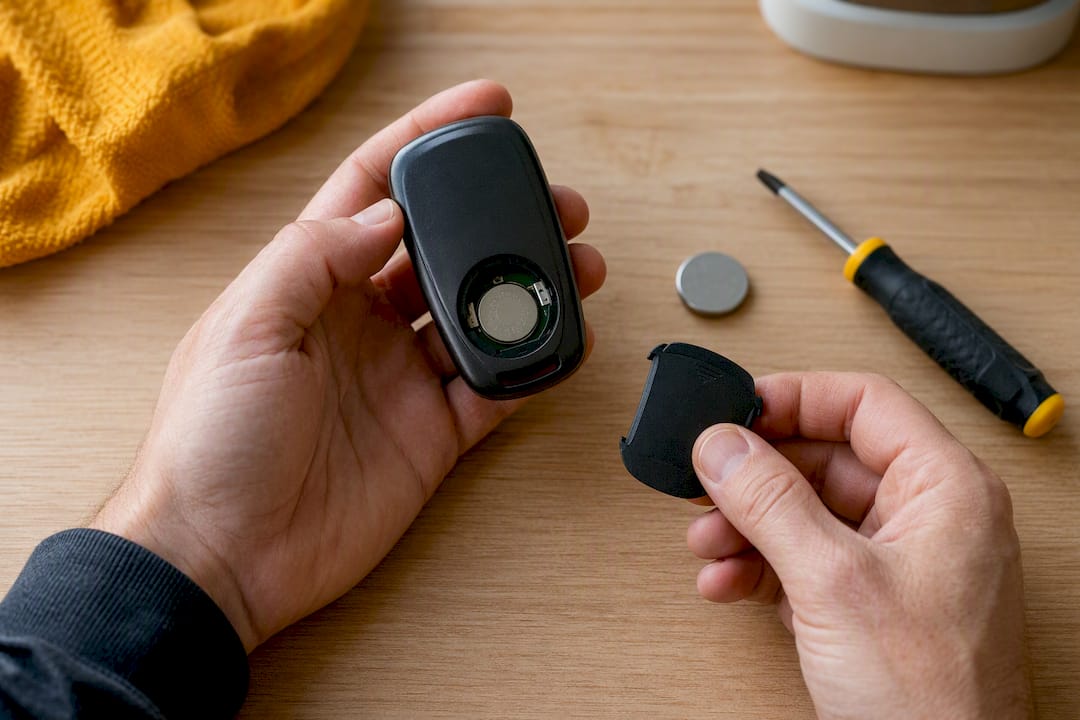
If you've swapped batteries recently and the problem started right around that time, check that the new batteries are seated correctly and that you're using the right type and polarity. A remote that's been sitting in a junk drawer for years with old batteries still installed is also worth testing separately, since corrosion inside the battery compartment can cause the same kind of erratic signal. When in doubt, replace the batteries in every remote at once rather than guessing which one is failing, and see if the problem clears.
Is Your Door Really Opening by Itself, or Just Acting Randomly?
These two problems sound similar but point to very different fixes, so it's worth being precise about what you're actually seeing.
A true self-opening door means the door goes from fully closed to open (or partially open) with zero input from you, often while you're asleep or away. That pattern points squarely at the causes covered above: stuck remotes, wiring shorts, RF interference, or opener electronics.
Intermittent random activation looks different. This is a door that occasionally reverses mid-close, opens a few inches then stops, or behaves erratically only under specific conditions, like during rain or right after the garage light turns on. That pattern usually points to safety sensor issues, a worn limit switch, or a mechanical binding in the track rather than anything electrical. The distinction matters because the fix is completely different: sensor cleaning and realignment for the second case, versus the isolation protocol above for the first. If you're dealing with a door that won't close cleanly rather than one that opens on its own, this closing-specific troubleshooting guide covers that scenario in more depth.
Should You Upgrade Your Opener to Prevent This?
If your opener is more than 10 to 15 years old and still uses fixed-code technology, upgrading is one of the more effective long-term fixes available, not just a nice-to-have. Fixed-code openers broadcast the same signal every time, which is exactly what makes them vulnerable to interference and, in rare cases, to someone else's remote accidentally matching your frequency.
Modern openers use rolling code technology as standard, generating a new code with every single press so an old signal can never be replayed. Many current models also run on the 433 MHz band with better shielding against the kind of LED bulb and consumer-electronics interference that plagues older 315 MHz systems. Battery backup, which keeps the opener running through a power outage, also removes the "cycling on power restore" symptom that so often gets mistaken for phantom operation.
If you're already isolating and ruling out every simple cause and keep landing back on "it's the opener itself," that's usually the moment replacement makes more financial sense than continuing to chase intermittent electronics on an aging board.
What a Technician Sees That Homeowners Often Miss
The biggest misstep we see is homeowners replacing a remote or a logic board before ruling out a wiring short. It's an understandable guess, but it's backwards: a systematic isolation protocol, remotes first, then wall wires, then the opener itself, tells you exactly where the fault lives before you spend a dime on parts. We've walked into plenty of jobs where a homeowner had already bought a new remote and a new keypad, and the actual problem was a single stapled wire behind a shelf bracket. Mike's Garage Door Repair completes 90% of repairs same-day, and every estimate is given upfront over the phone, because guessing at parts costs everyone money and time.
— Eddie
Get a Same-Day Diagnostic From Mike's Garage Door Repair
If you've worked through the isolation tests above and the door is still opening on its own, or you'd rather skip straight to a professional diagnosis, a local garage door repair service can handle this kind of intermittent, hard-to-pin-down problem. Technicians trace wiring shorts, replace failing logic boards and opener units, reprogram rolling codes, and realign safety sensors, and often provide transparent, upfront estimates over the phone before visiting.

A diagnostic visit starts with the same isolation approach covered in this article, remotes, wall wires, then the opener itself, but with the tools and experience to spot a hairline wire nick or a board fault in minutes instead of days of trial and error. Most repairs wrap up the same day, and veterans get 10% off. If your garage door keeps opening without warning, schedule a diagnostic visit and we'll find the actual cause instead of guessing at parts.
Sources
For more detail on specific symptoms, the wiring-focused breakdown of ghost openings covers bell-wire shorts in depth, while Chamberlain's own support documentation walks through smart-app schedule conflicts. For a broader look at when repair versus replacement makes sense, these nine warning signs are worth a look.
- Garage Door Opens By Itself: Causes, Fixes, and How to Stop It | The Garage Guide
- Ghost openings (wiring issues) — Garage Door Guide
- Garage Door Activates on Its Own — Chamberlain Group support
- LiftMaster Garage Door Opens by Itself? Causes and Fixes — Trunetto
FAQ
How Do I Fix a Garage Door That Opens by Itself?
Remove the batteries from every remote for 24 to 48 hours, then disconnect the wall-control wires, then unplug the opener itself, testing one variable at a time until the openings stop.
Why Is My Garage Door Opening on Its Own?
The four most common causes are a stuck remote button, a shorted wall-control wire, radio-frequency interference from LED bulbs or nearby devices, and a failing opener logic board.
Can a Garage Door Really Open by Itself With No One Touching Anything?
Yes. A stuck transmitter button, a wiring short sending a false signal, RF interference, or a malfunctioning logic board can all trigger the motor without any human input.
Why Does My Garage Door Keep Reopening Right After I Close It?
That's usually a safety sensor issue, not a phantom opening, caused by dirty or misaligned photo-eye lenses or an incorrect down-limit force setting rather than an electrical fault.
When Should I Call a Professional Instead of Troubleshooting Myself?
Call a technician if isolation tests fail to stop the openings, you spot damaged wiring, or you smell burning near the opener; some local services offer same-day diagnostic visits with upfront pricing.