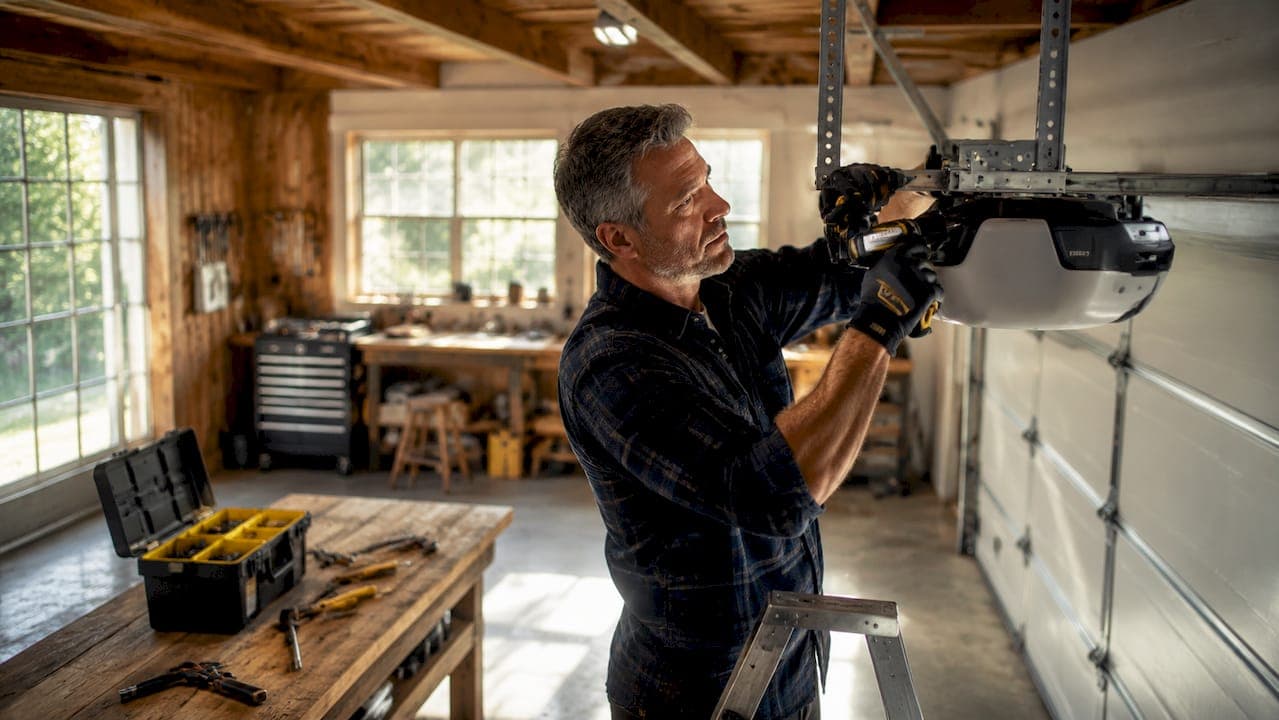
Garage door opener security is defined as the combination of digital encryption, physical locks, and network protections that prevent unauthorized access through your garage. Most homeowners treat the garage door as a secondary entry point, but it is often the easiest way into a home. Rolling code technology is now the modern standard, replacing the fixed code systems that made older openers easy targets. Yet digital protection alone is not enough. 60% of smart garage door setups lack a deadbolt on the interior door leading to the home, a gap that no amount of encryption can fix. Real security requires layering technology, physical barriers, and smart habits together.
How does garage door opener security actually work?
Rolling code technology is the foundation of modern garage door opener security. Every time you press your remote, the system generates a brand new code from billions of unique combinations. That means a code captured by a thief is already expired before they can use it.
Older fixed code openers from the 1980s and early 1990s worked very differently. Those systems used the same code every single time. A device called a code grabber could intercept that signal and replay it later to open your door. Fixed code systems are still in use in some older homes, and they remain highly vulnerable to this type of attack.
Modern systems like Security+ 2.0 use rolling code protocols that make replay attacks essentially useless. The opener and remote stay synchronized, so even if someone captures your signal, the code has already rotated. This is a meaningful upgrade, and if your opener predates the mid-2000s, replacing it is the single highest-impact security move you can make.
Here is what rolling code technology protects against:
- Code grabbing: Intercepting your remote signal with a scanner and replaying it later
- Replay attacks: Using a recorded signal to open the door when you are away
- Brute force scanning: Cycling through fixed codes until one works
- Roll-jam attacks: Blocking your signal while capturing it, then replaying it
Pro Tip: Check the label on your opener motor unit. If it says "Security+ 2.0" or "rolling code," you have modern digital protection. If it shows no such label and was installed before 2000, plan for an upgrade.
Digital security handles the signal. Physical security handles everything else.
What physical measures actually stop a garage break-in?
The most overlooked garage door vulnerabilities are mechanical, not digital. A thief with a wire hanger can reach through the top gap of most garage doors and hook the emergency release cord. Once pulled, the door opens manually in seconds. Zip-tying or shortening the emergency release cord closes this gap at zero cost.
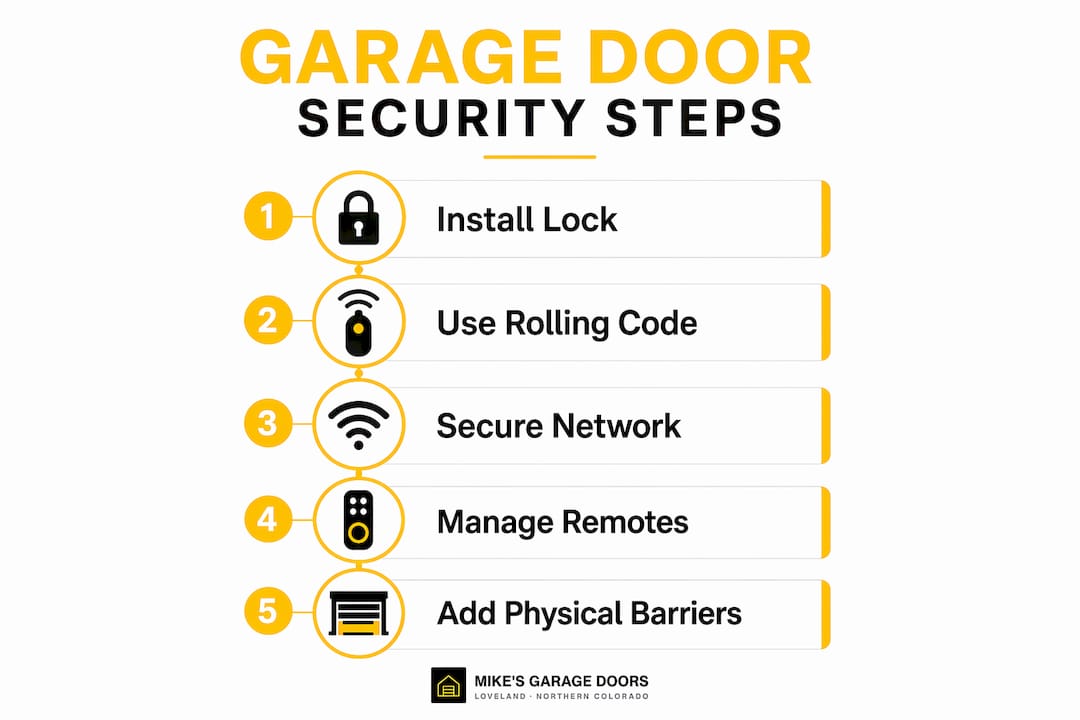
The interior door between your garage and your living space is equally critical. That door is often hollow-core and unlocked, which means a breached garage becomes a breached home. A $40 deadbolt on that door is one of the highest-value security upgrades you can make. Given that 60% of setups are missing this deadbolt, most homeowners have an easy win sitting right there.
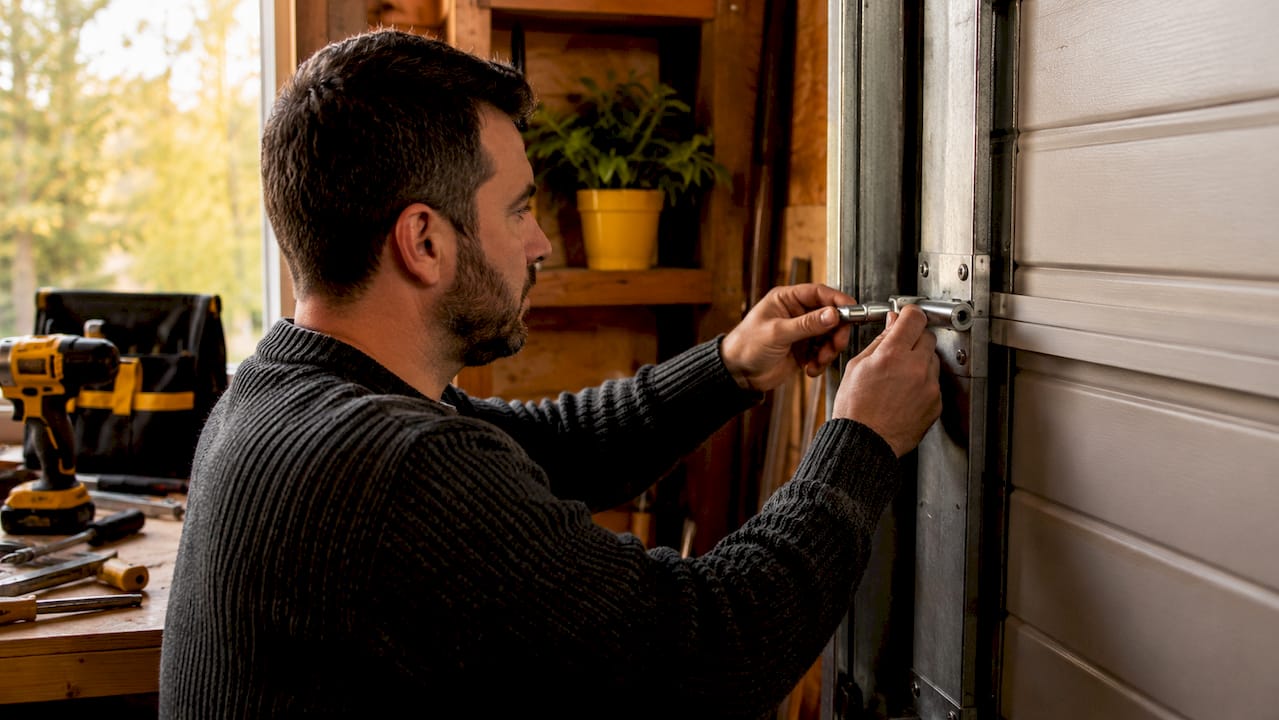
Track locks are another layer worth adding. Manual slide bolts or padlocks inserted into the door track prevent the door from opening even if every electronic system is bypassed. Most garage door tracks have pre-slotted holes above the rollers designed to hold exactly this kind of mechanical block.
Here is a quick comparison of physical security options by cost and effectiveness:
| Method | Cost | What it stops |
|---|---|---|
| Zip-tie on emergency release cord | Under $1 | Wire hanger fishing attack |
| Deadbolt on interior door | $40–$80 | Home access after garage breach |
| C-clamp or padlock on track | $10–$20 | Forced door lifting |
| Manual slide bolt on door | $15–$30 | Electronic bypass and forced entry |
Pro Tip: Combine at least two physical measures. A track lock plus a secured emergency cord means a thief has to defeat two independent systems, which most will not bother with.
For a deeper look at common break-in tactics and how to counter them, that resource covers cameras, lighting, and barriers that work alongside your opener.
How do you secure a smart garage door opener on your home network?
Smart garage door openers connect to your home Wi-Fi, which makes your router a critical part of your security setup. Routers running outdated WEP or early WPA encryption leave your connected devices exposed to unauthorized access. Upgrading to WPA3 or at minimum WPA2 is the first step.
Firmware updates matter just as much as encryption. Manufacturers patch known vulnerabilities through updates, and skipping them leaves your opener running with known security holes. Check your opener app or the manufacturer's website monthly and apply updates as they release.
Two additional measures are worth building into your routine:
- Two-factor authentication: Enable it on your smart garage app so that a stolen password alone cannot open your door
- Separate IoT network: Put your garage opener on a dedicated guest network so that a compromised device cannot reach your computers or phones
- Local smart hubs: Systems using Zigbee or Z-Wave protocols operate locally rather than through the cloud, reducing your exposure to server-side breaches
- Lock or Vacation mode: Modern wall-mounted console panels include a receiver lock feature that blocks all remote signals while allowing manual operation, ideal for extended trips
Pro Tip: If your garage is used for storage and goes weeks without use, plug your opener into a Wi-Fi smart plug. Cutting power entirely makes the unit unhackable. No signal in, no signal out.
Homeowners routinely secure the opener itself but ignore the network it sits on. That is like locking your front door and leaving the window open.
How should you store and manage your garage door remotes?
Remote storage is a behavior problem, not a technology problem. Leaving a remote clipped to your car visor is the equivalent of taping a spare key to your bumper. If your car gets broken into, your garage opens next. Experts recommend keychain remotes carried on your person, or smartphone apps secured with biometric authentication, as far safer alternatives.
Smartphone apps with Face ID or fingerprint locks add a meaningful barrier. Even if someone picks up your phone, they cannot open the garage without your face or fingerprint. Most modern opener apps also include activity logs that show every open and close event with a timestamp. That log is your first alert if something unexpected happens.
A few habits that make a real difference:
- Never leave a remote in an unlocked vehicle
- Delete access for remotes you no longer use or have lost
- Use temporary access codes for guests or contractors rather than sharing your main remote
- Review your app's activity log weekly to catch anything unusual
Pro Tip: If you use a smartphone app as your primary remote, enable app lock so the garage control requires biometric confirmation every time. Treat it the same way you treat your banking app.
Physical remotes are convenient but carry real risk. Storing remotes securely and switching to app-based control with biometric locks is one of the simplest upgrades you can make today.
Key Takeaways
Effective garage door opener security requires layering rolling code technology, physical barriers, network hardening, and secure remote habits to close every realistic attack path.
| Point | Details |
|---|---|
| Upgrade to rolling code | Replace any opener predating 2000; Security+ 2.0 systems block replay attacks effectively. |
| Secure the emergency release | Zip-tie or shorten the cord to stop the wire hanger fishing attack. |
| Add a deadbolt to the interior door | A $40 deadbolt closes the most common gap in smart garage setups. |
| Harden your home network | Upgrade to WPA3 or WPA2 and enable two-factor authentication on your opener app. |
| Change how you store remotes | Carry a keychain remote or use a biometric-locked smartphone app instead of a visor clip. |
What I have learned after years of watching homeowners get this wrong
Most homeowners I talk to think their garage is secure because they have a modern opener. That confidence is misplaced. The opener handles the signal. It does nothing about the emergency cord, the hollow interior door, or the router running WPA from 2009.
The pattern I see most often is a homeowner who spent real money on a smart opener with rolling code technology and then left the emergency release dangling where any wire hanger can reach it. That is a $300 opener protecting a $1 vulnerability. The fix takes two minutes and a zip tie.
Roll-jam attacks get a lot of attention online, and they are real. But in practice, the far more common threat is a thief who simply walks up, fishes the release cord, and lifts the door in under 10 seconds. Physical deterrents stop that cold. Digital encryption does not.
My honest recommendation is to spend 30 minutes doing a security walk-through of your garage. Pull on the emergency cord and see how accessible it is. Check whether your interior door has a deadbolt. Look at your router settings. These are free or near-free fixes that close the gaps that actually get exploited.
The homeowners who get this right treat garage security the same way they treat garage door safety codes: as a system with multiple checkpoints, not a single lock on a single door.
— Eddie
Garage door security upgrades from Mikes garage doors Loveland
If your opener is more than 10 years old, or if you are not sure what security features it has, a professional assessment is the fastest way to know where you stand.
Mikes garage doors Loveland serves homeowners across Northern Colorado with same-day opener upgrades, physical security installations, and honest phone estimates before any work begins. The team handles everything from rolling code opener replacements to deadbolt installs on interior garage doors. Veterans receive a 10% discount, and 90% of jobs are completed the same day you call. If you want a garage that is actually secure, not just locked, reach out to Mikes garage doors Loveland for a free estimate.
FAQ
What is rolling code technology in garage door openers?
Rolling code technology generates a new, unique access code every time you press your remote, making any intercepted signal useless. Systems like Security+ 2.0 draw from billions of possible codes, so replay attacks cannot work.
How do burglars bypass garage door openers?
The most common method is fishing the emergency release cord through the top gap of the door using a wire hanger, which manually disengages the opener. Zip-tying or shortening the cord eliminates this vulnerability.
Does my Wi-Fi router affect garage door opener security?
Yes. Routers using outdated WEP or early WPA encryption leave smart openers exposed to network-based attacks. Upgrading to WPA3 or WPA2 and keeping your opener's firmware current closes this gap.
Is it safe to leave a garage door remote in my car?
Leaving a remote in a visible location in your vehicle creates a direct theft risk. Carrying a keychain remote or using a biometric-locked smartphone app is significantly safer.
What is the single most overlooked garage security upgrade?
A deadbolt on the interior door between the garage and the home. Most homeowners skip it, but it is the last line of defense if the garage door itself is breached.