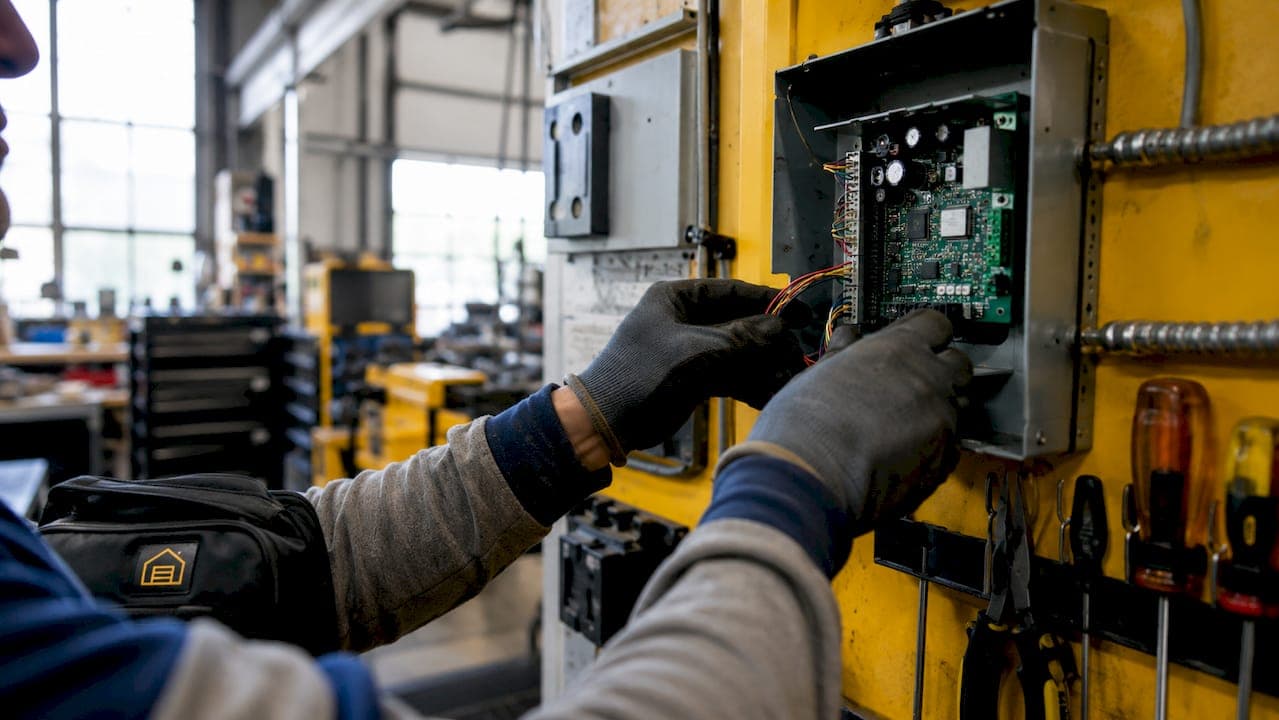
A commercial door controller is defined as the central decision-making unit in an access control system, receiving credential data, enforcing permission rules, triggering locking hardware, and logging every access event in real time. Property managers and business owners who understand the role of commercial door controller technology gain a direct advantage in security planning, compliance, and day-to-day facility management. The controller is not just a component. It is the brain of the entire system, and every other device depends on its decisions.
What does a commercial door controller actually do?
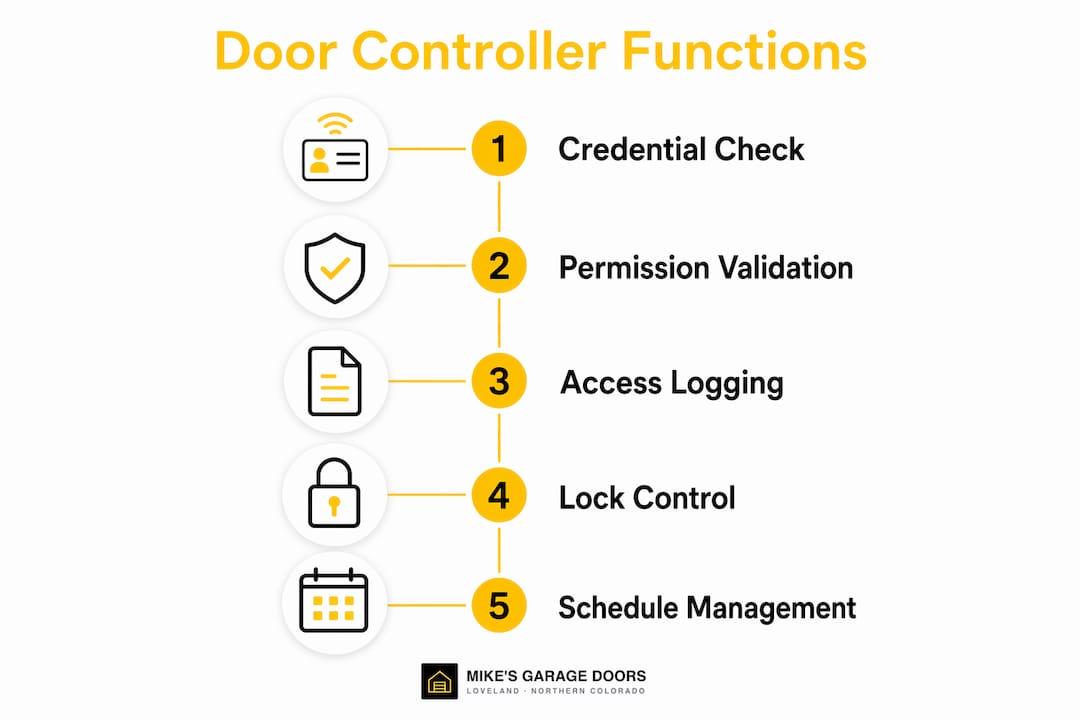
The controller enforces permissions and triggers locks while readers only collect credential data. That distinction matters more than most property managers realize. A keypad or card reader at your entrance does nothing on its own. It sends a signal to the controller, which checks the credential against stored rules, decides whether to unlock the door, and records the attempt with a timestamp and user identity.
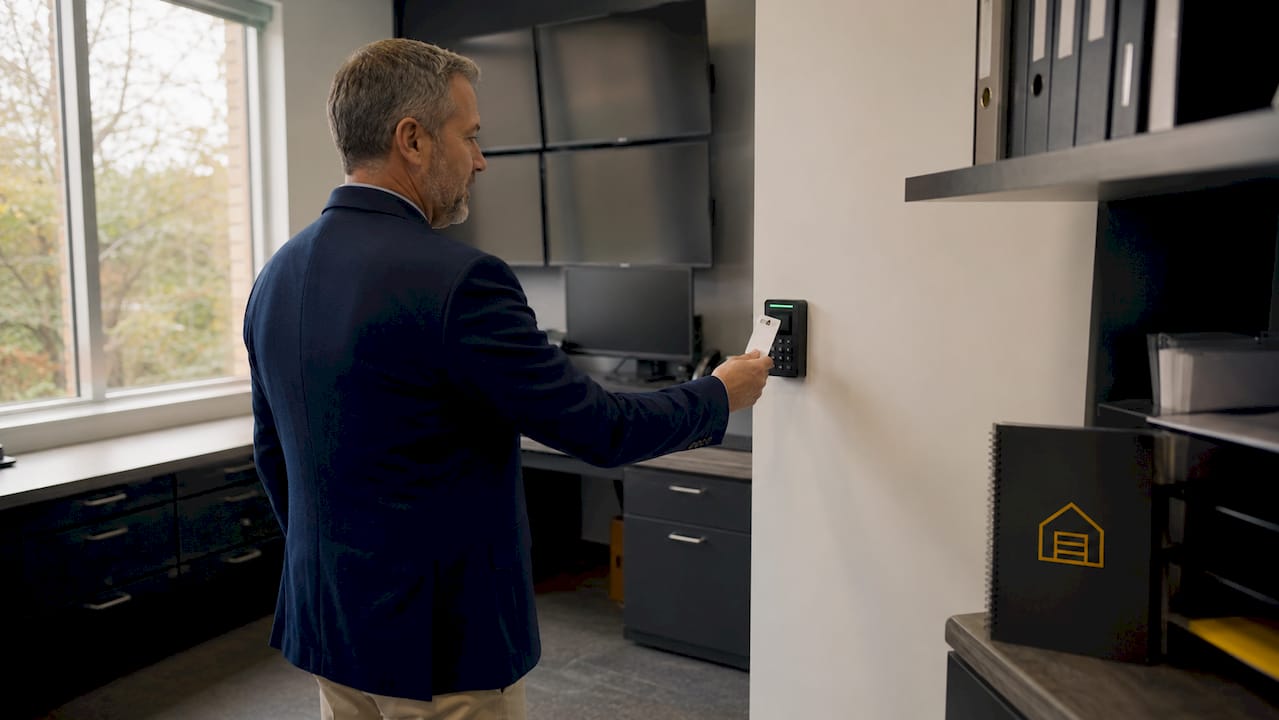
Controllers also manage time-based access schedules. A loading dock can be set to allow entry only between 6:00 AM and 8:00 PM on weekdays. After hours, the same credential gets rejected automatically, with no manual intervention required. That kind of rule enforcement is what separates a true commercial door control system from a basic lock-and-key setup.
Controllers store permissions locally, which means the system keeps working during a network outage. Access logs, schedules, and permission levels stay intact even when your internet connection drops. That backup capability is non-negotiable for facilities that cannot afford security gaps.
How do controllers integrate with access control hardware?
The controller sits at the center of a network that includes readers, electric locks, door position sensors, alarms, cameras, and intercoms. Each device has a specific job, and the controller coordinates all of them. Think of it like a traffic light system: the sensors detect conditions, but the controller decides when to go green.
Here is how the key components interact:
- Credential readers (keypads, card readers, biometric scanners) send raw data to the controller. They make no access decisions.
- Electric locks (magnetic locks, electric strikes, electrified hardware) receive unlock commands directly from the controller.
- Door position sensors report whether a door is open or closed, letting the controller flag propped doors or forced entry.
- Alarm and camera systems receive trigger signals from the controller when an unauthorized attempt occurs.
- Intercoms can feed audio or video verification back to the controller or a monitoring station before access is granted.
Controllers manage swing doors, sliding doors, and overhead commercial doors. Door operators for overhead doors connect to the controller's relay outputs, so the same access logic applies whether you are managing a pedestrian entry or a loading bay.
Pro Tip: When planning a new system, map every door type in your facility before selecting a controller. Some controllers support only a handful of door relays, while enterprise-grade units manage dozens of doors from a single panel.
What compliance standards apply to commercial door control systems?
Hardware selection for automated door management is governed by three performance grades and multiple safety codes. Getting this wrong does not just create security gaps. It creates liability.
| Standard | Requirement | Why It Matters |
|---|---|---|
| ANSI/BHMA Grade 1 | Rated for over 1,000,000 operating cycles | Required for high-traffic commercial doors |
| ANSI/BHMA Grade 2 | Mid-range commercial and light industrial use | Suitable for lower-traffic interior doors |
| ANSI/BHMA Grade 3 | Residential-grade performance | Not appropriate for commercial applications |
| NFPA 80 | Fire door hardware certification | Locks on fire-rated doors must meet fire codes |
| ADA Standards | Push plate height 34–48 inches above finished floor | Required for accessible entry points |
Grade 1 hardware endures over 1,000,000 cycles and is the only appropriate choice for main commercial entries. Residential-grade hardware installed on a busy commercial door will fail within months, not years. That failure is not just inconvenient. It can trigger inspection violations if the door is fire-rated.
The fail-safe versus fail-secure configuration is where many property managers get tripped up. Fail-safe doors unlock automatically on a fire alarm signal, allowing occupants to exit freely. Fail-secure doors remain locked during a power failure, protecting sensitive areas. Your controller must be programmed correctly for each door's function. A server room and a fire exit require opposite configurations, and mixing them up creates either a safety hazard or a security breach.
Locks on fire-rated doors must meet NFPA fire codes and ADA accessibility requirements simultaneously. Using non-certified hardware on those doors causes inspection failures. Review your safety code requirements before specifying any lock or controller for a fire-rated opening.
Pro Tip: Always request the duty cycle rating from your hardware supplier before purchasing. A lock rated for 250,000 cycles will fail four times faster than a Grade 1 unit on the same door.
Common misconceptions about door controllers and operators
Property managers frequently confuse three distinct components: the controller, the reader, and the door operator. Each one does a completely different job, and treating them as interchangeable leads to security gaps and wasted spending.
Confusing the controller with the reader is the most common planning mistake. The reader collects your credential. The controller decides what to do with it. Replacing a reader does not change your access rules. Only the controller holds that logic.
Here are the most damaging misconceptions, and what the reality actually is:
- "A smart lock replaces a controller." Standalone smart locks work for single doors with a handful of users. They cannot manage multi-door sites, generate audit logs for compliance, or enforce time-based schedules across a facility.
- "The door operator and door controller are the same thing." A door operator is the mechanical motor that physically moves the door. The controller is the electronic brain that decides when the operator should activate.
- "Any lock works on a fire door." Only hardware certified under NFPA 80 belongs on a fire-rated opening. The controller's fail-safe programming must also match the door's life-safety function.
- "Networked controllers are only for large buildings." A facility with as few as three doors and multiple staff members benefits from centralized audit logs and remote permission management.
Networked door controllers provide centralized management, audit trails, and immediate permission updates that standalone locks cannot match. When an employee leaves your company, a networked controller lets you revoke access across every door in seconds. A standalone lock requires a physical key change or code reset at each door.
Best practices for managing and maintaining door controllers
Proactive maintenance beats reactive repairs every time. Scheduled assessments prevent downtime and extend the life of your controller and connected hardware. Here is a practical maintenance framework for property managers:
- Schedule firmware updates quarterly. Controller manufacturers release patches that fix security vulnerabilities and improve reliability. Skipping updates leaves your system exposed.
- Back up your access database monthly. If a controller fails, a current backup means you restore permissions in minutes rather than rebuilding from scratch.
- Review audit logs weekly. Look for repeated failed attempts, doors held open longer than normal, or access at unusual hours. These patterns flag security issues before they become incidents.
- Test door position sensors every six months. A sensor that fails to report a propped door defeats the controller's monitoring function entirely.
- Plan for capacity before you need it. If your facility is expanding, confirm your controller supports additional door relays and user credentials before you hit the limit.
- Partner with a qualified service provider. Professional inspections catch wiring issues, hardware wear, and configuration errors that in-house staff typically miss.
Proactive maintenance and professional inspections extend controller lifespan and prevent the kind of sudden failures that leave a facility unsecured at 2:00 AM on a Sunday. The cost of a scheduled service visit is a fraction of an emergency call-out plus hardware replacement.
Key Takeaways
A commercial door controller is the system's decision-making core, and every other access control component depends on it being correctly configured, properly maintained, and matched to the right hardware standards.
| Point | Details |
|---|---|
| Controller vs. reader | The controller makes access decisions; the reader only collects credential data. |
| Hardware grade matters | Grade 1 hardware rated for 1,000,000+ cycles is required for high-traffic commercial doors. |
| Fail-safe vs. fail-secure | Each door's controller setting must match its life-safety function to meet NFPA requirements. |
| Networked control wins | Centralized controllers provide audit trails and instant permission updates that standalone locks cannot. |
| Proactive maintenance pays | Scheduled firmware updates, log reviews, and professional inspections prevent costly failures. |
What I've learned watching facilities get this wrong
The most expensive mistakes I see property managers make have nothing to do with picking the wrong brand. They come from misunderstanding what each component actually does. A facility will spend serious money on a high-end card reader and then connect it to an underpowered controller that cannot handle the door count or the audit log requirements. The reader looks impressive. The system fails quietly.
The other pattern I keep seeing is the fail-safe configuration problem. A fire door gets programmed as fail-secure because someone assumed "locked is safer." That assumption is correct for a server room and dangerous for an exit corridor. The controller is capable of doing the right thing. It just needs someone who understands the difference to set it up correctly.
My honest view is that door controllers are moving toward cloud-based management and AI-assisted anomaly detection faster than most facilities are ready for. The security ecosystem integration that used to require an on-site server now runs through a browser. That shift makes centralized control more accessible for smaller facilities, but it also raises the stakes for proper configuration and ongoing maintenance. The technology is only as good as the setup behind it.
If you are managing a commercial facility in 2026, treat your door controller the way you treat your fire suppression system. You do not wait for it to fail before you pay attention to it.
— Eddie
Commercial door services for your facility in Loveland
Mikes garage doors Loveland works with property managers and business owners across Northern Colorado on commercial door installations, controller upgrades, and ongoing maintenance programs.
Whether you need a new access control setup for a loading bay, a compliance review of your existing hardware, or a same-day repair on a door that stopped responding to its controller, the team at Mikes garage doors Loveland handles it directly. Upfront phone estimates mean you know the cost before any work begins. Explore the full range of commercial door services available in Loveland, or call to talk through what your facility actually needs. Veterans receive a 10% discount on all services.
FAQ
What is the role of a commercial door controller?
A commercial door controller is the central logic unit of an access control system. It receives credential data from readers, enforces access rules, triggers locking hardware, and logs every entry event with timestamps.
How is a door controller different from a door operator?
A door operator is the mechanical motor that physically moves the door. The controller is the electronic unit that decides when the operator should activate based on credential verification and access rules.
What does fail-safe mean in door controller programming?
Fail-safe means the door unlocks automatically when power is cut or a fire alarm triggers, allowing free egress. Fail-secure means the door stays locked during a power failure, protecting restricted areas.
Why are standalone locks insufficient for multi-door commercial sites?
Standalone locks cannot enforce time-based schedules, generate audit logs, or update permissions across multiple doors simultaneously. A networked controller handles all three from a single management interface.
How often should commercial door controllers be serviced?
Firmware updates should run quarterly, access databases should be backed up monthly, and a professional inspection should occur at least once a year to catch wiring issues and hardware wear before they cause failures.